You know what’s funny about blogging? Everyone talks about creating great content. But here’s the thing – great content means nothing if you don’t know how it’s actually performing.
That’s where KPIs come in. Key Performance Indicators. Fancy name, simple concept. They’re just numbers that tell you if your blog is working or not.
I’ve been doing this for years, and I can tell you – most bloggers are flying blind. They write, they publish, they hope. But the smart ones? They measure. They track. They improve.
So let’s dive into the 28 KPIs that actually matter. The ones that’ll help you understand what’s working and what isn’t.
KPI Benchmark Guide: What Good Numbers Look Like
Compare your metrics to industry standards and understand what each number really means for your blog’s success
Traffic vs Quality
10 highly engaged readers who convert are worth more than 100 random visitors who bounce immediately
Speed Kills
40% of visitors abandon sites that take longer than 3 seconds to load
Mobile First
68%+ of blog traffic now comes from smartphones and tablets
1. Blog Traffic Shows The Big Picture
This one’s obvious, right? How many people visit your blog. Blog traffic is a common starting point when looking at blog performance. It refers to the number of people who visit your blog within a specific period.
Use tools like Google Analytics to track this metric. But here’s what most people get wrong – they think more is always better. It’s not. Keep in mind, quality over quantity is key. 10 highly engaged readers who may become leads or customers can be worth more than 100 random visitors.
Would you rather have 100 visitors who stick around and engage? Or 1000 who bounce after 10 seconds?
Your situation: Let’s say you got 1,500 visits in January. February jumps to 4,200. Great news, right?
Maybe. But dig deeper. Are these new visitors actually reading your stuff? Are they subscribing? Downloading your resources? This growth might indicate that your promotion strategies are working, but you need to take a deeper look. How long are these visitors staying? What actions are they taking on your site? These questions lead us to our next KPI.
Traffic growth is nice. But traffic that converts is what pays the bills.
2. Page Views per Visit Reveal User Engagement
Simple question – when someone visits your blog, do they read just one post or do they stick around?
This KPI provides insight into how many pages a visitor views during a single visit. The higher the number, the more engaged your audience likely is. If your number is low, it might mean that your content isn’t enticing enough to keep readers on your site.
This metric tells you exactly that. Higher numbers mean people like what they see.
Your situation: Someone lands on your productivity post. Then they read two more articles. Plus your about page. That’s four page views in one visit. Using the same example, if a user lands on your homepage and then checks out three different recipes during their visit, that would equate to four page views during their visit.
Good sign. They’re interested.
If most people only view one page and leave? Your internal linking needs work.
3. Average Session Duration Shows Time Well Spent
How long do people stay on your site?
This KPI refers to the average length of time a user spends on your blog in a single visit. The longer they stick around, the more engaged they are. Makes sense. The longer they stay, the more they’re likely engaging with your content. It’s an excellent indicator of the quality and relevance of your content to your audience.
Your situation: People spend about 3 minutes and 45 seconds on your blog posts on average. Not bad. They’re actually reading, not just skimming. If users spend an average of 5 minutes on your blog, they’re likely reading your articles and browsing through your content.
But if your average is closer to 30 seconds? Either your headlines are misleading or your content isn’t matching expectations. Your content may not be engaging enough to hold their attention.
4. Bounce Rate Measures Stickiness Factor
Bounce rate is the percentage of people who visit one page and leave immediately.
Bounce rate is the percentage of visitors who navigate away from your blog after viewing only one page. A high bounce rate can be a red flag, indicating that your content or user experience isn’t holding visitors’ attention.
High bounce rate usually means trouble. But not always.
Your situation: Your bounce rate is 65%. So about two-thirds of visitors leave after one post. If the bounce rate for your blog is 80%, it means that 80% of your visitors are leaving after viewing just one page.
For blogs, this isn’t terrible. But you could do better. Try adding related post suggestions at the end of articles. Or create better calls-to-action. It’s time to investigate. Are they not finding what they’re looking for? Is the site too difficult to navigate?
5. Top Performing Posts Are The Cream of the Crop
Which posts get the most traffic? This tells you what your audience really wants.
This KPI identifies which of your blog posts are attracting the most traffic. Understanding which posts resonate most with your audience can guide your content strategy moving forward.
Pay attention to this one. It’s gold for your content strategy.
Your situation: Your post “10 Time Management Hacks That Actually Work” gets triple the traffic of everything else. If your blog post titled “Easy Morning Routines” receives twice the traffic of your other posts, it indicates that your audience is interested in practical, actionable advice.
What does this tell you? Your audience wants actionable productivity advice. So give them more of it. This insight can inform your future content.
6. Traffic Sources Show Where Your Visitors Come From
Are people finding you through Google? Social media? Other websites?
This KPI refers to where your blog traffic is originating from. This can include organic search, direct visits, referrals from other sites, or social media. This metric helps you understand which channels are most effective for attracting visitors.
This breakdown shows you which marketing channels actually work.
Your situation: 45% comes from Google searches. 30% from social media. 15% direct visits. 10% from other sites linking to you. If 50% of your traffic comes from organic search, it shows that your SEO efforts are paying off. However, if only 5% of your traffic is coming from social media, you may need to rethink your social media strategy.
Your SEO is working well. But maybe focus more on building relationships with other bloggers for referral traffic.
7. New vs. Returning Visitors Check Loyalty
Are you attracting new readers? Great. But are your existing readers coming back? That’s the real test.
This KPI differentiates between new and returning visitors. A healthy mix of both is ideal. You want to attract new readers, but also keep your existing audience coming back for more.
Your situation: 75% new visitors, 25% returning each month. If your blog has 70% new visitors and 30% returning, it shows that you’re attracting a lot of new audience but could do more to increase reader loyalty.
You’re good at attracting fresh eyes. But only one in four comes back. Consider starting a newsletter. Give people reasons to return.
8. Comments Give Direct Feedback from Your Audience
When people take time to comment, they’re invested. That’s engagement you can’t buy.
Comments left on your blog posts can be a useful KPI. They can provide direct feedback about your content and demonstrate reader engagement. If people are taking the time to leave comments, they’re likely invested in your content.
Your situation: Your remote work post got 23 comments. People shared experiences and asked follow-up questions. If your blog post about “Productivity Strategies” gets a lot of comments, it could be a sign that your audience is interested in the topic and wants to engage with you on it.
You hit a nerve. In a good way. Turn this into a series. Maybe create a downloadable resource based on the discussion.
9. Email Subscription Rate Builds Your Reader Base
Out of everyone who visits, how many subscribe to your newsletter?
This KPI tracks how many visitors sign up to your email newsletter. An increasing email subscription rate suggests that your content resonates with your readers and they want to hear more from you in the future.
This is your future audience. Your direct line to readers.
Your situation: 3 out of every 100 visitors subscribe. That’s a solid 3% conversion rate. If you get 100 new email subscriptions every month, it shows that your content is engaging enough to make readers want to stay connected. This can also be a valuable asset for future marketing campaigns.
Want to improve it? Try multiple signup forms. Or offer a free resource as incentive.
10. Click-Through Rate (CTR) on Call-to-Action (CTA) Buttons
Do people click your buttons? Your links? Your CTAs?
This KPI measures how many visitors click on your call-to-action buttons. This could include buttons to subscribe to a newsletter, download a free resource, or purchase a product. A high CTR means your CTAs are effective and visitors are taking the desired action.
If they’re not clicking, they’re not converting.
Your situation: Your free productivity planner button gets clicked by 8% of people who see it. If your CTA button to download a free resource has a CTR of 5%, it means that 5 out of every 100 visitors are taking you up on your offer. This can help you determine whether your offer is compelling, and if the placement and design of your CTA is effective.
Strong performance. Your offer matches what your audience wants. Test different button colors or text to push it even higher.
11. Conversion Rate Is The Ultimate Goal
This is the big one. The percentage of visitors who do what you want them to do.
Conversion rate is the percentage of visitors who complete a desired action on your blog. This could be anything from signing up for a newsletter, making a purchase, or filling out a contact form. This KPI is crucial for evaluating the effectiveness of your overall blog strategy.
Subscribe. Download. Buy. Whatever your goal is.
Your situation: You want people to download your free ebook. 1,000 visitors this month, 25 downloads. That’s 2.5%. If you run a promotion where visitors can purchase your course, and 2% of your visitors make the purchase, then your conversion rate is 2%. This can provide insight into whether your blog is effectively leading visitors to take action.
Track this monthly. See if your improvements actually move the needle.
12. Social Media Shares Have The Viral Factor
When people share your content, they’re endorsing it to their network.
Social media shares refer to the number of times your blog posts are shared on social media platforms. This is an important KPI to measure your content’s reach and popularity. It can also indicate how much your content resonates with your readers, as they are more likely to share content they find valuable or engaging.
Free promotion you can’t buy.
Your situation: Your work-life balance post gets shared 150 times across Twitter, LinkedIn, and Facebook. If your post titled “Top 10 Productivity Tips for Beginners” gets shared 500 times on Facebook, it shows that your audience found the content valuable enough to share with their networks.
Pay attention to which posts get shared most. That’s your share-worthy content formula.
13. Returning Visitors Build a Loyal Readership
These are your fans. The people who come back for more.
This KPI measures how many of your blog’s visitors return after their initial visit. A high number of returning visitors suggests that your content is engaging and that readers find it valuable enough to come back for more.
They comment more. Share more. Convert more.
Your situation: 28% of this month’s visitors had been to your blog before. If 30% of your blog’s visitors in a given month are returning visitors, it indicates that you are building a loyal readership.
These returning readers often become your most engaged audience. Treat them well.
14. Time Spent on Page Shows Quality Engagement
Are people actually reading your posts? Or just scanning and leaving?
This KPI measures how long, on average, visitors spend reading your blog post. If visitors spend a lot of time on your page, it can indicate that they are thoroughly reading and engaging with your content.
This number tells you.
Your situation: People spend 4 minutes and 20 seconds reading your 1,200-word posts on average. If visitors spend an average of 5 minutes on your “Complete Guide to Remote Work” post, it suggests that they are likely reading the post in depth, indicating that your content is engaging.
Good sign. They’re consuming your content, not just skimming it.
15. Page Scroll Depth Tells How Far They Go
Do people scroll to the bottom of your posts? Or do they stop halfway?
Page scroll depth is a measure of how much users scroll down your page, represented as a percentage. If most users are scrolling 80% or more of a page, it’s a strong indicator that your content is engaging and holds their attention.
Higher scroll depth means more engaging content.
Your situation: 70% of readers scroll through at least 75% of your posts. Let’s say you have an in-depth article about “How to Start a Business.” If analytics show that 70% of your readers scroll through 80% or more of your content, you know they’re interested and engaged.
Excellent. Most people read nearly your entire article. If this percentage were lower, you’d need better subheadings or shorter paragraphs.

16. SEO Rankings Matter for Visibility
Where do your posts rank on Google for your target keywords?
SEO rankings indicate the position of your content on search engine results pages for specific keywords. Higher rankings mean better visibility and more organic traffic, a vital component of blog success.
Higher rankings mean more organic traffic. It’s that simple.
Your situation: Your “productivity apps for entrepreneurs” post ranks #3 on Google. Your post “Best Tools for Remote Work” ranks #1 on Google for the keyword “best remote work tools”. This high ranking likely drives significant organic traffic to your blog.
This high ranking drives consistent traffic. Monitor your rankings. Work on improving posts that rank on page two.
17. Mobile Traffic Became The New Normal
How many people read your blog on their phones?
Mobile traffic refers to visitors who access your blog via mobile devices. As we progress through the mid-2020s, mobile traffic isn’t just important. It’s expected. Not optimizing your blog for mobile could seriously hurt your potential reach.
If you’re not mobile-optimized, you’re losing readers.
Your situation: 68% of your traffic comes from smartphones and tablets. If 70% of your blog’s traffic comes from mobile users, it’s essential that your blog is mobile-friendly. Use responsive design, fast load times, and make navigation easy on smaller screens.
Most of your audience reads on small screens. Test your blog on mobile regularly. Make sure everything works smoothly.
18. Page Load Time Makes Speed Matter
How fast does your blog load?
Page load time is how long it takes for your blog to load on a user’s device. In an era of short attention spans, every second counts. If your blog takes too long to load, users will likely abandon it. Use Google’s PageSpeed Insights tool not just to measure your page load time, but to also gain insights on how to improve it.
Slow sites lose visitors. It’s that brutal.
Your situation: Your blog takes 3.2 seconds to load on mobile. If PageSpeed Insights tells you that your blog takes 5 seconds to load, you’re already losing a significant chunk of visitors. The tool might suggest optimizing images or leveraging browser caching to improve your load time.
Not terrible, but 40% of visitors abandon sites that take longer than 3 seconds. Consider compressing images or switching hosts.
19. Backlinks Boost Your Blog’s Authority
When other websites link to your content, Google pays attention.
Backlinks are links from other websites to your blog. They’re crucial for SEO, as they can significantly enhance your blog’s visibility and credibility in the eyes of search engines.
More quality backlinks mean higher search rankings.
Your situation: Your freelancing guide has earned backlinks from 15 different business websites. If your blog post “The Ultimate Guide to Content Marketing” receives backlinks from 20 different marketing websites, it demonstrates that your content is considered authoritative and valuable in your niche.
These links signal authority to Google. Reach out to other bloggers in your space. Build relationships.
20. Email Open Rate Gauges Newsletter Engagement
If you send newsletters, do people actually open them?
If you have a newsletter, the email open rate is a crucial KPI. It measures the percentage of recipients who open your emails. A high open rate indicates that your newsletter content is engaging and your email subject lines are compelling.
This metric tells you if your subject lines work and your content provides value.
Your situation: 32% of subscribers open your weekly emails. If 40% of your newsletter subscribers open your monthly update email, it suggests that you’re providing content that’s of interest to your subscribers.
Above average for most industries. Your subject lines work and your content delivers consistent value.
21. Search Visibility Shows Your Content’s Reach Potential
How often does your content appear in search results? Even if you don’t rank #1?
Search visibility measures how often your content appears in search results for relevant keywords, regardless of position. This metric goes beyond rankings to show your total presence in search engine results pages. High search visibility means more opportunities for people to find your content.
More visibility means more opportunities to be found.
Your situation: Your blog appears in search results for over 800 different keyword combinations. Your blog might appear in search results for 500 different keyword variations related to “remote work,” even if you don’t rank #1 for all of them. This broad visibility creates multiple entry points for new readers.
Even without ranking #1 for everything, this broad visibility creates multiple pathways for discovery.
22. Core Web Vitals Track Technical Performance That Counts
Google cares about user experience. A lot.
Core Web Vitals measure specific aspects of user experience including loading performance, interactivity, and visual stability. Google uses these metrics as ranking factors, making them critical for both SEO and user satisfaction. Poor Core Web Vitals can hurt your search rankings and user experience.
These technical metrics affect your search rankings and user satisfaction.
Your situation: Your Largest Contentful Paint score is 2.8 seconds. Within Google’s “good” threshold, but your First Input Delay could improve. If your blog’s Largest Contentful Paint (LCP) score is 4 seconds, users are waiting too long for your main content to load. Google recommends keeping LCP under 2.5 seconds for good user experience.
Focus on these technical aspects. Better user experience leads to better rankings.
23. Social Media Engagement Rate Goes Beyond Just Shares
Likes, comments, shares – how much interaction does your content generate relative to your reach?
Social media engagement rate measures likes, comments, shares, and other interactions relative to your follower count or reach. This metric provides deeper insight into how well your content resonates with your social media audience compared to simple share counts.
Your situation: Your LinkedIn post reaches 2,000 people and gets 140 total engagements. Your LinkedIn post promoting a blog article receives 50 likes, 10 comments, and 15 shares from 1000 people who saw it. Your engagement rate would be 7.5%, which is considered excellent for LinkedIn content.
That’s a 7% engagement rate. Excellent for LinkedIn. Your social audience finds genuine value in your content.
24. Cost Per Acquisition (CPA) Tracks ROI for Monetized Blogs
If you spend money promoting your blog, what does each new subscriber or customer cost you?
Cost per acquisition tracks how much you spend to acquire each new customer, subscriber, or lead through your blog. This metric is essential for understanding the financial effectiveness of your content marketing efforts and optimizing your marketing budget.
Essential for understanding if your marketing spend makes sense.
Your situation: You spend $200 monthly on promoted posts and tools. Gain 40 new subscribers. That’s $5 per subscriber. If you spend $500 on promoted blog posts and gain 25 new email subscribers who eventually purchase your course, your CPA is $20 per subscriber. You can then evaluate if this cost aligns with your customer lifetime value.
If subscribers typically convert to customers within six months, this cost might be worthwhile.
25. Lead Quality Score Shows Not All Leads Are Equal
Do your new subscribers match your ideal reader profile?
Lead quality score assesses how likely your blog-generated leads are to convert into paying customers. This metric helps you understand whether your content attracts the right audience, not just any audience. High-quality leads save time and increase conversion rates.
Quality beats quantity every time.
Your situation: Out of 50 new subscribers this month, 20 match your ideal reader profile based on survey responses and behavior. Out of 100 leads from your business blog, 30 match your ideal customer profile based on company size, industry, and role. Your lead quality score would be 30%, helping you refine your content strategy to attract better prospects.
40% lead quality score. Your content successfully attracts your target audience.
26. Email Unsubscribe Rate Shows The Flip Side of Growth
When people unsubscribe from your newsletter, it’s feedback.
Email unsubscribe rate measures the percentage of subscribers who opt out of your email list after receiving your newsletters. While some unsubscribes are normal, high rates may indicate content quality issues or frequency problems that need attention.
Some unsubscribes are normal. Too many suggest problems.
Your situation: After sending to 2,500 subscribers, 25 unsubscribe. That’s 1%. If 50 people unsubscribe from your 5,000-person email list after sending a monthly newsletter, your unsubscribe rate is 1%. Industry benchmarks vary, but rates above 2% often signal content or frequency adjustments are needed.
Healthy rate. If it jumps to 3% or higher, review your recent content and email frequency.
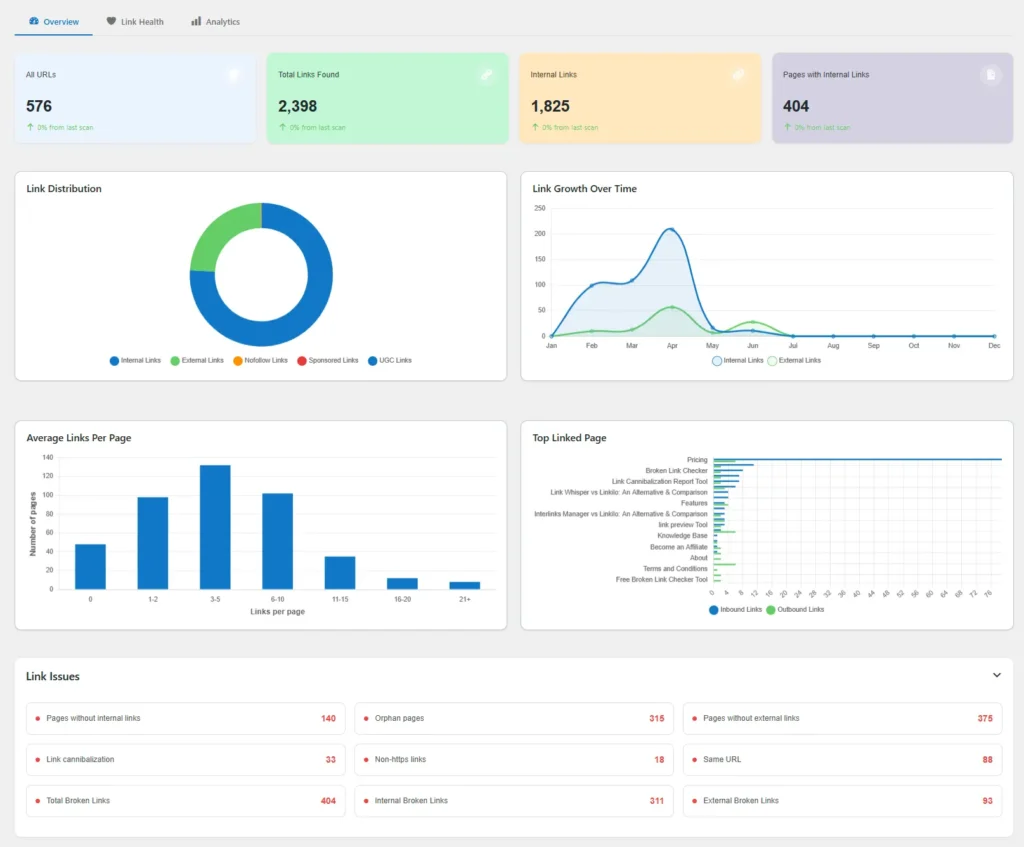
27. Internal Link Clicks Measure Content Connection Success
When you link to other posts within your content, do people click?
Internal link clicks measure how often readers click on links to other content within your blog. This metric indicates content engagement depth and helps you understand which topics your audience wants to explore further. Good internal linking also boosts SEO performance.
This shows engagement depth and helps SEO.
Your situation: Your time management post includes three related article links. Out of 500 readers, 120 click at least one link. Your blog post about “Productivity Tips” includes links to three related articles. If 200 people read the post and 60 click on internal links, you have a 30% internal link click rate, showing strong content engagement.
24% internal click rate. Readers want to dive deeper after reading one post.
28. Search Console Impressions Track Visibility Before Clicks
How often does your content appear in search results? And how often do people actually click?
Search console impressions show how many times your content appeared in search results, regardless of whether people clicked. This Search console metric reveals your content’s potential reach and helps identify opportunities where you’re visible but not attracting clicks, often indicating title or meta description optimization needs.
This reveals optimization opportunities.
Your situation: Your post appears 8,000 times monthly in search but only gets 400 clicks. Your blog post appears in search results 10,000 times per month but only receives 500 clicks. This 5% click-through rate might be low for your target keywords, suggesting you need better titles or meta descriptions to improve click appeal.
5% click-through rate suggests your title or description might not be compelling enough. Test different headlines.
KPI Priority Matrix: What to Focus On When
Choose your focus based on your blog’s current stage and goals – don’t try to track everything at once
Your Focus: Get the basics right first. Traffic growth is nice, but traffic that converts is what pays the bills.
Start Here First
High Impact • Easy to Track with Google Analytics
Plan for Month 2-3
High Impact • Needs Content Strategy
Monitor Monthly
Good to Know • Check Once Monthly
Skip for Now
Complex • Focus Later
Your Focus: Build loyalty and optimize conversions. You’re attracting readers – now keep them coming back.
Focus Here Now
High Impact • Critical for Growth
Strategic Priorities
High Impact • Worth the Investment
Monitor Monthly
Easy Tracking • Good to Know
Advanced Later
Complex • Future Focus
Your Focus: Maximize revenue and scale efficiently. You measure what matters and adjust based on data, not guesses.
Revenue Drivers
High Impact • Business Critical
Growth Engines
High Impact • Competitive Advantage
Health Checks
Maintenance • Regular Review
Vanity Metrics
Nice to Have • Lower Priority
Conclusion
Look, tracking all these metrics might seem overwhelming at first. But here’s the truth – you don’t need to watch everything all at once.
The more effectively you track and interpret these KPIs, the more equipped you’ll be to meet your readers’ needs, refine your content strategy, and ultimately, grow your blog. The key is to stay focused, be consistent, and always strive to provide value to your readers.
Start with the basics. Traffic, bounce rate, time on page. Get comfortable with those. Then expand.
The blogs that succeed long-term? They measure what matters. They adjust based on data, not guesses.
Your readers are telling you what they want through these numbers. Are you listening?