Most roundups of AI internal linking tools rank them one to ten and tell you which is best overall. That is the wrong shape for this decision.
The right tool depends on four things. What platform you are on, how big your archive is, whether this is one big push or steady work, and how much of the anchor wording you want to approve yourself.
So this compares nine tools on the things that actually decide it, then sorts them by situation. Two of those things get almost no coverage anywhere else, and both can cost you later.
The nine tools, side by side
Scroll sideways on mobile. The middle column is the one most roundups leave out.
Two questions to settle before you compare features
Feature lists across these tools look nearly identical. Suggestions, orphan pages, bulk actions, reports. The differences that bite you are underneath.
Where the link physically lives
Every tool here will put a link on your page. They do not all put it in the same place.
Three places a link can live
Same accepted suggestion. Very different consequences.
Written into your post
The link becomes part of your content, the same as if you typed it. It is in your database, your export, your backup. Cancel the tool and it stays. Linkilo, Link Whisper, LinkBoss, WPLink, and the SEO suites all work this way.
Injected by JavaScript
The link lives in the vendor’s system and gets added to the page as it loads, through a snippet you install. Your content is untouched. Remove the snippet or stop paying and the links stop appearing. This is LinkStorm.
Generated when the page renders
The plugin holds a keyword rule and builds the link every time someone loads the page. Nothing is written to your content. Deactivate the plugin and every link disappears at once. This is Internal Link Juicer.
This decides what happens the day you stop paying. Written links are yours. Injected and rendered links are rented, and a year of internal linking can unwind in an afternoon.
It is not a reason to rule anything out. LinkStorm’s approach is what lets it work on any platform, and Internal Link Juicer’s is what makes one rule update every page at once. Just buy it knowingly.
Who pays for the AI
The sticker price is not the whole bill.
- Bundled credits. Link Whisper, LinkBoss, and Rank Math include a pool of AI usage. Heavy months can exhaust it, and LinkBoss credits expire unused.
- Your own API key. Linkilo and WPLink connect to your OpenAI account. A pass over 500 posts runs a dollar or two, and the number shows on your own bill.
- Nothing. WPLink also runs on a local model through Ollama, where the AI costs zero. Internal Link Juicer has no AI to pay for.
On a small site this barely matters. On a 3,000-post archive it decides whether the work finishes this week or next month.
The nine tools
Each one below covers how the matching works, where the links end up, what it costs, who it suits, and the catch. The catch is the part vendor pages leave out.
Linkilo
Linkilo reads the full text of each post and scores candidates by meaning, then puts every suggestion through five more checks before you see it.
The sentence carrying the link is scored on its own, so the link lands where the text is actually about the target. Anchors that open mid-clause or lean on filler words are rejected. Version mismatches get re-routed. The proposed anchor is checked against every anchor already on your site. Then a second model reads the sentence and drops anything that does not hold up.
What reaches you is a suggestion with a confidence score and the exact anchor to use, waiting for approval.
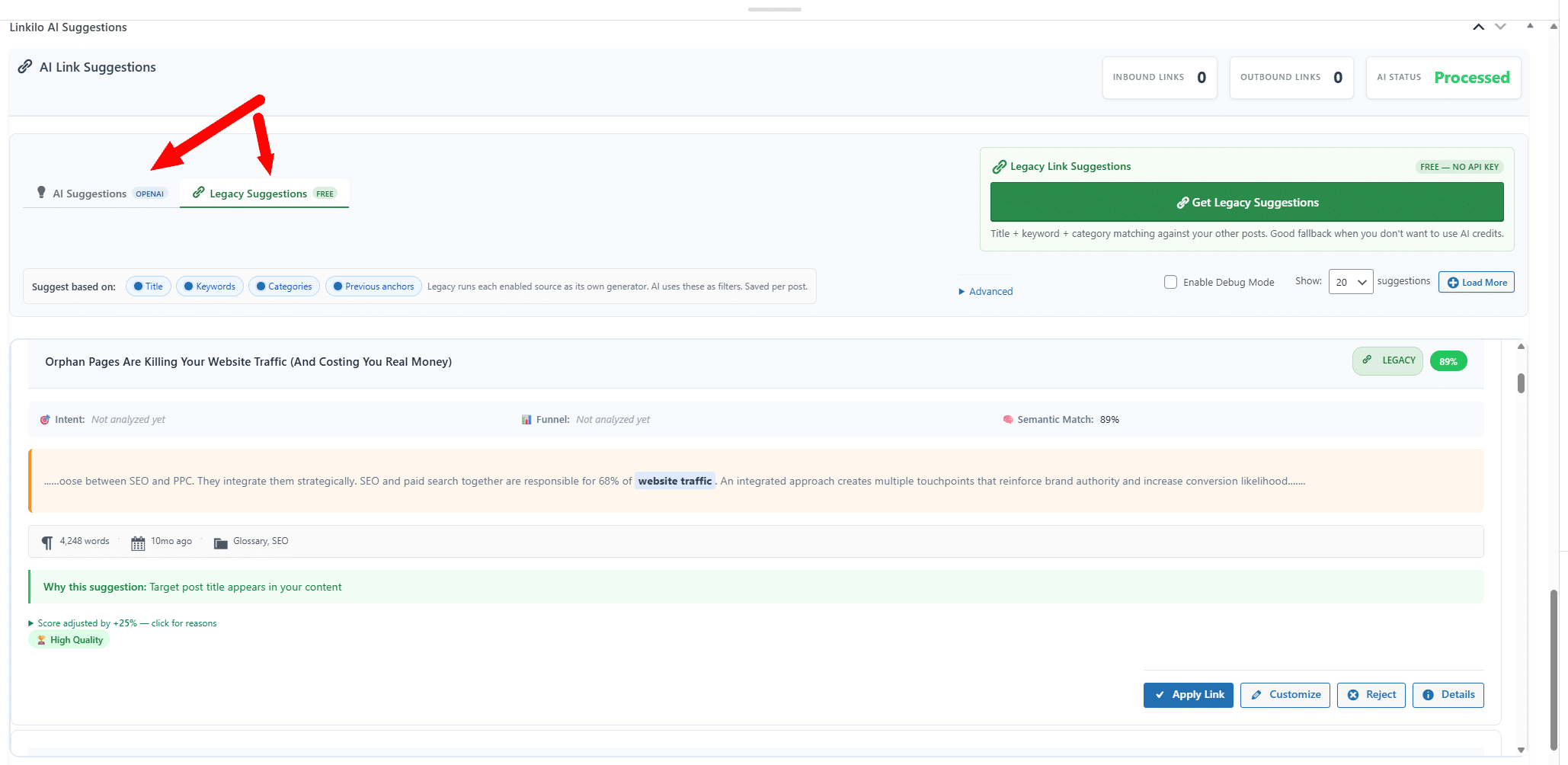
Around the suggestions sit the parts that matter once links start aging. A broken link checker that fixes dead links in one click, a redirect manager that flattens chains, an anchor text report, a cannibalization report, and a crawl log.
Cost $59 a year for one site, with the AI on your own key at roughly a dollar or two per 500 posts. 30-day guarantee.
Best for a WordPress site where the linking needs to stay clean as it grows, and you would rather not stack four plugins to get there.
The catch WordPress only, no free tier, and it does not do one-click silo building the way LinkBoss does.
Link Whisper
The most established tool here, running since 2019. Its matching moved to embeddings in version 2.7.0, and later updates added sentence-level relatedness checks, so the old complaint about keyword matching no longer applies.
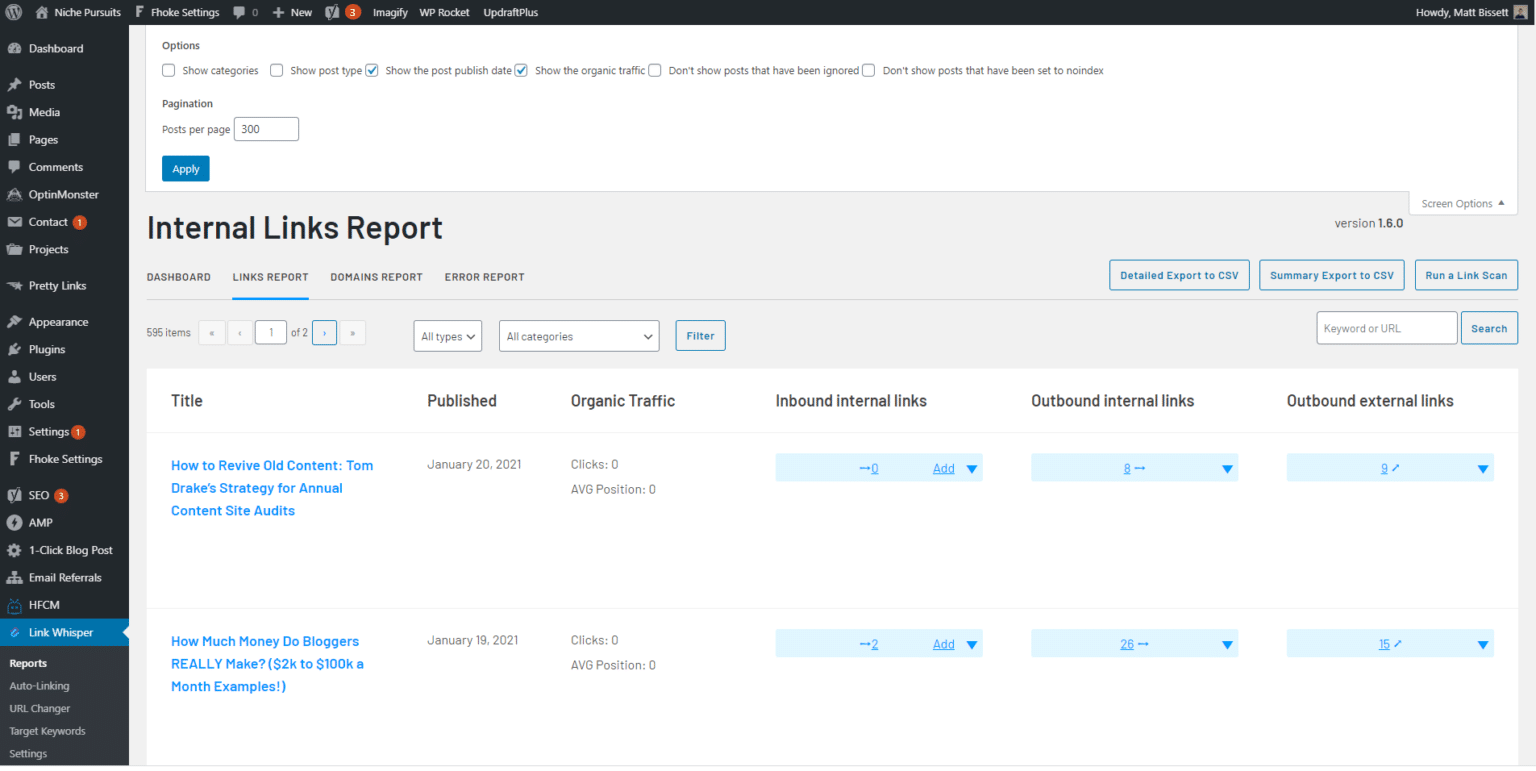
Manual review is the default mode, and auto-linking rules are there if you want them. It reports on orphan pages and broken links, and has a Shopify app, which most of this list does not.
Cost $97 a year for one site up to $497 for fifty, annual only. The pricing page shows a per-month figure but bills the year at once.
Best for someone who wants suggestions in the editor and nothing else to learn.
The catch nothing watches the link after it goes in. No anchor distribution report, no cannibalization check, no crawl data. Its AI also moved to bundled credits when the direct OpenAI connection was retired in 2026, so you no longer control the model or see the real cost.
LinkBoss
A cloud platform with a sync plugin, built for volume.
Bulk 2.0 wires up to 1,000 links across 200 pages in a single run. You pull posts in by category or tag, set a similarity threshold and caps per page, and it inserts them. Where a post has no natural spot, it writes a sentence or two to create one.
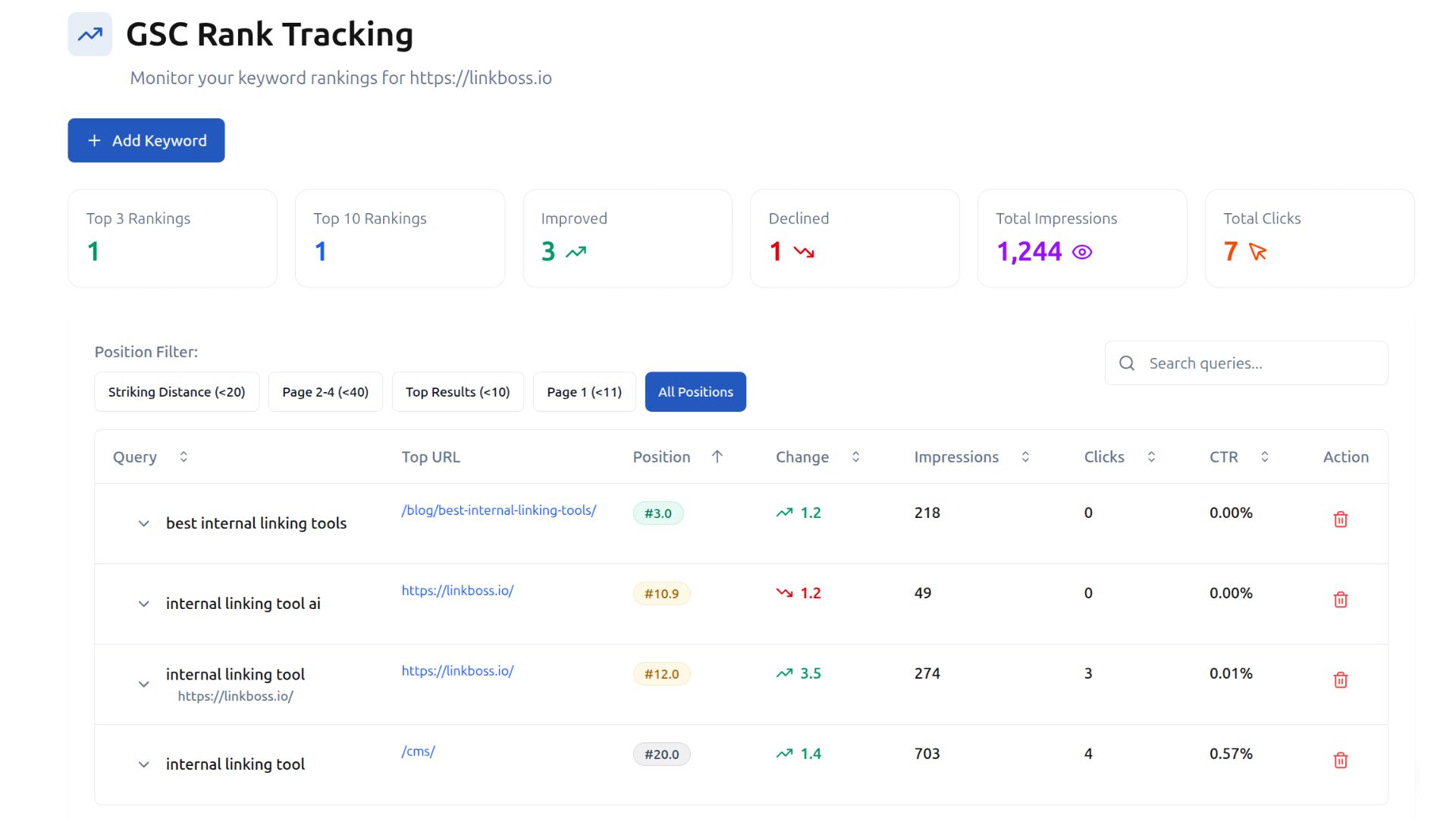
The silo presets are the real draw. Paste a pillar URL, pick up to 15 supporting posts, and it builds a Reverse, Serial, Priority, or Circle structure with a visual map you can rearrange.
Cost credits, from $11 a month or $99 a year for 200 credits, up to $549 a month at the top tier. Monthly credits reset with no carryover and yearly ones expire after a year.
Best for a large dormant archive you want interlinked this month, up to its ceiling of 25,000 pages per site.
The catch a thousand links placed at once is a thousand anchor decisions nobody read. It tracks anchor reuse and a bad batch can be rolled back in one click, but rollback is all or nothing, so fixing a subset still means going post by post. Budget review time, more on non-English content. There is also no broken-link checking, so those links age unwatched.
LinkStorm
The only tool here that is not tied to WordPress. It crawls your site from the outside, so Shopify, Webflow, Ghost, and custom builds all work the same way, and it renders JavaScript while crawling.
Its advantage is the data wrapped around each suggestion. Click depth shows which pages sit buried, and a Search Console connection puts clicks, impressions, and position next to the pages involved.
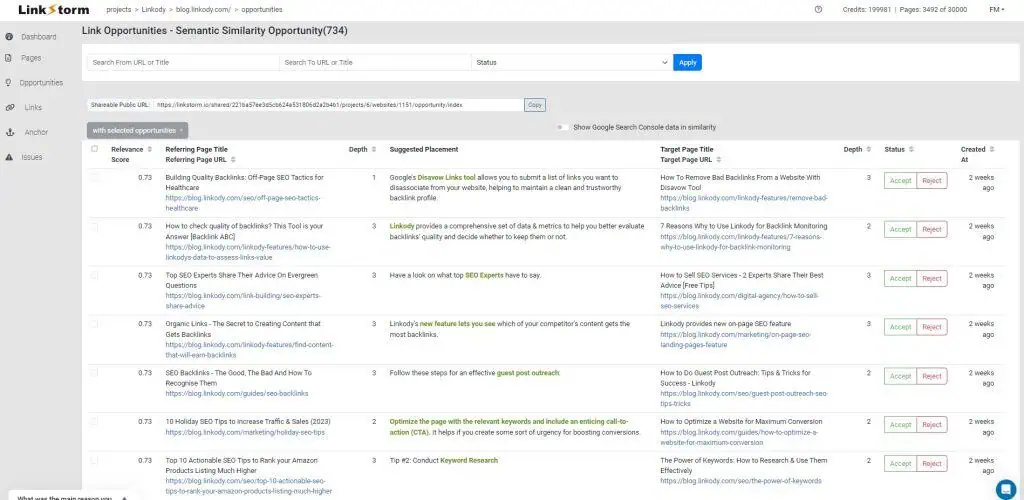
It also has an anchor distribution report, which Link Whisper lacks, plus audits for broken links, redirects, and nofollow issues.
Cost $30 a month for 1,000 URLs up to $200 for 50,000, with unlimited sites on every plan and a free tier to test.
Best for a portfolio spread across several platforms, or anyone who wants performance data behind each link.
The catch the links are injected by JavaScript rather than written into your content. Google renders JavaScript, so indexing is generally fine, but cancel and every link it placed stops appearing.
WPLink
Not a plugin. A desktop app with a small companion plugin, so the analysis runs on your machine and your live site carries none of it.
It builds vector embeddings of your content, then uses a language model to propose the anchor and placement. You choose the engine, OpenAI, Claude, Gemini, or a local model through Ollama. The companion plugin can also write into page-builder content, which most plugins handle badly.
Cost $60 once for solo use, $199 for agency. No renewal. Run it on Ollama and the AI costs nothing on top.
Best for anyone finished with annual renewals, or working on client content that should not leave their machine.
The catch you review suggestions in a separate app rather than in the editor, and it is newer than everything else here with a smaller community behind it.
AIOSEO Link Assistant
Worth using if AIOSEO is already on the site. It suggests relevant links and lets you place them post by post, with an orphan page report alongside.
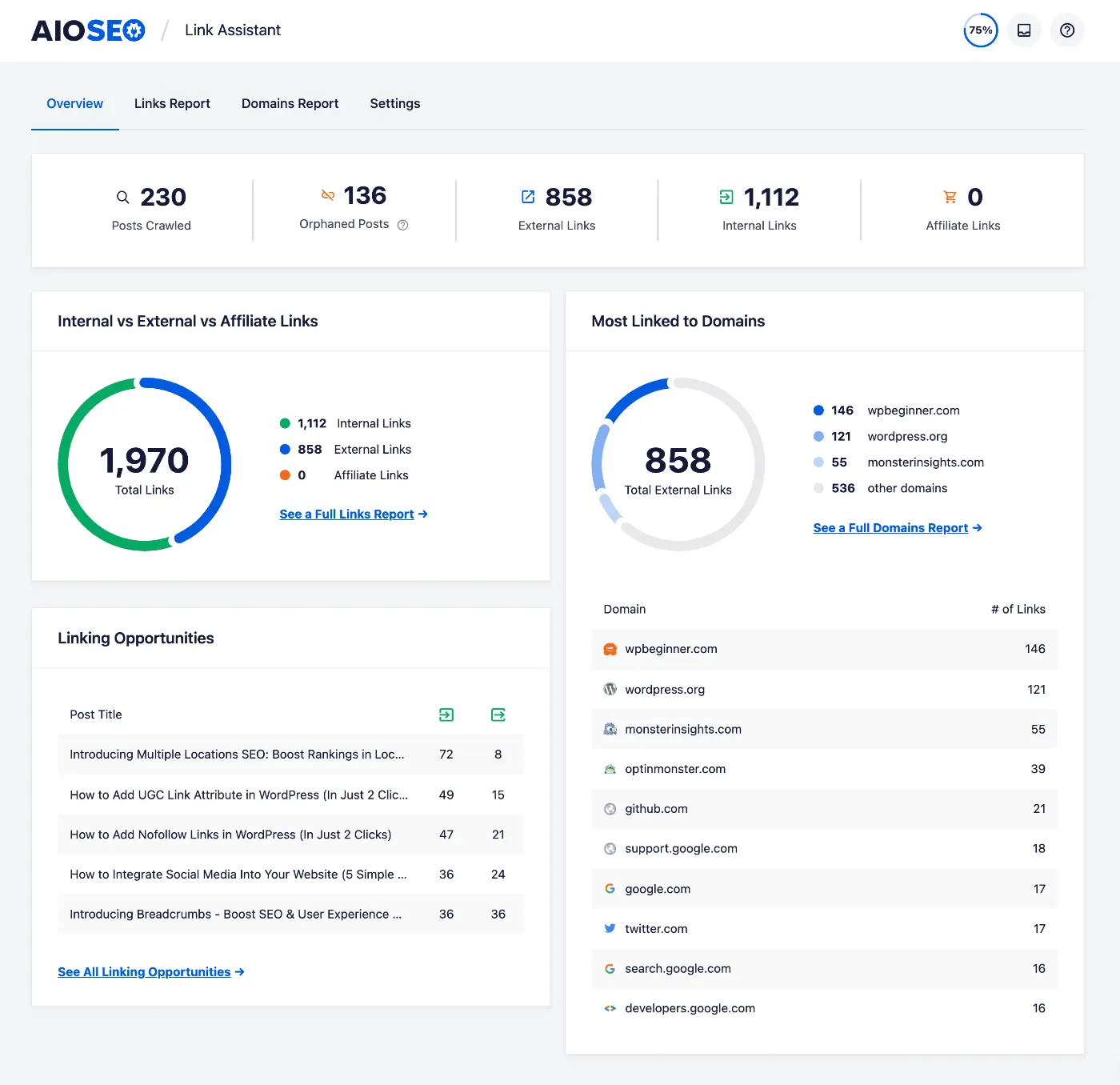
Cost bundled with AIOSEO Pro, around $199 a year.
Best for sites already paying for AIOSEO.
The catch the scan runs on your own server, which drags on a large site, and you are buying a whole SEO suite to get one feature.
Rank Math and Yoast Premium
Both suggest links in the editor while you write, and for a lot of sites that is enough.

Rank Math goes further than Yoast here, with bulk linking, orphan page detection, and its own redirect manager. Its AI suggestions draw on Content AI credits, and the Pro licence covers your own sites, so client work needs the Business plan.
Cost Rank Math Pro from around $7 a month billed annually. Yoast Premium is an annual licence.
Best for anyone already paying for one of them who has not turned the feature on.
The catch linking is a side feature in both. Neither tracks anchor distribution across the site, and neither shows you crawl data.
Internal Link Juicer
The free option, and the only one here that is not AI at all.
You assign keywords to a target page, and wherever those keywords appear the link appears. No suggestions, no approval step, no surprises. Your linking is exactly as good as your keyword planning.
Cost free for posts and pages. Pro is $69.99 a year for one site, or $209.99 once.
Best for someone who already knows which phrases should point where and wants that applied consistently without thinking about it again.
The catch two of them. It will never find a link you did not think of, so pages you forget stay unlinked forever. And it generates links at page render rather than writing them into your posts, so deactivating it takes every link with it.
The ones worth knowing about
A few more come up in these lists. InLinks builds entity-based structure rather than link-by-link suggestions. Linksy, LinkBot, and SEOjuice are newer AI options, with LinkBot and SEOjuice working beyond WordPress.
Separately, Screaming Frog, Sitebulb, and Ahrefs all audit internal linking well, but none of them place a link for you. They tell you what is wrong. You still fix it somewhere else.
Which one fits your situation
Rankings are less useful than a match. Find the line that sounds like your site.
Find your situation
A 200-post blog on cheap shared hosting
Rank Math or Yoast, if you already pay for one
You do not need another subscription. Both suggest links in the editor, and at 200 posts you can review every one. Buy a dedicated tool when you outgrow that, not before.
A 2,000-post affiliate archive barely interlinked
LinkBoss for the build, then something flat-priced
Credits suit a burst. Wire the archive up in one run, let the credits lapse, and keep a cheaper tool for ongoing work. Budget a day to review anchors afterwards, because a bulk run makes hundreds of wording decisions you did not read.
You publish two or three posts a week
Linkilo or Link Whisper
Steady publishing wants a flat licence, not a meter. Both suggest as you write. Pick Linkilo if you want the anchor and cannibalization reports too, Link Whisper if you want the simpler tool and nothing else.
Ten client sites across WordPress, Shopify, and Webflow
LinkStorm
Every plan includes unlimited sites and charges on total URLs, so a portfolio is cheaper here than anywhere else. No WordPress plugin can follow you off WordPress.
Your budget is zero
Internal Link Juicer
It is genuinely free and genuinely useful if you already know which keywords should point where. Just understand that the links vanish if you ever deactivate it.
You are done paying annually
WPLink
$60 once, and the AI can run on a local model for nothing. Break-even against a $97 a year tool lands inside the first year.
Notice how often the answer is something you already own. That is deliberate. The cheapest fix is usually turning on a feature you are already paying for.
The question none of these lists ask
Every roundup measures these tools on suggestion quality. Almost none ask what happens after the link is live.
Internal links are how search engines and AI answer engines move through your site and decide what to index and cite.
So the link is only half the job. If Googlebot, GPTBot, or ClaudeBot never reaches the page, it cannot rank and it cannot appear in an AI answer, no matter how many links point at it.
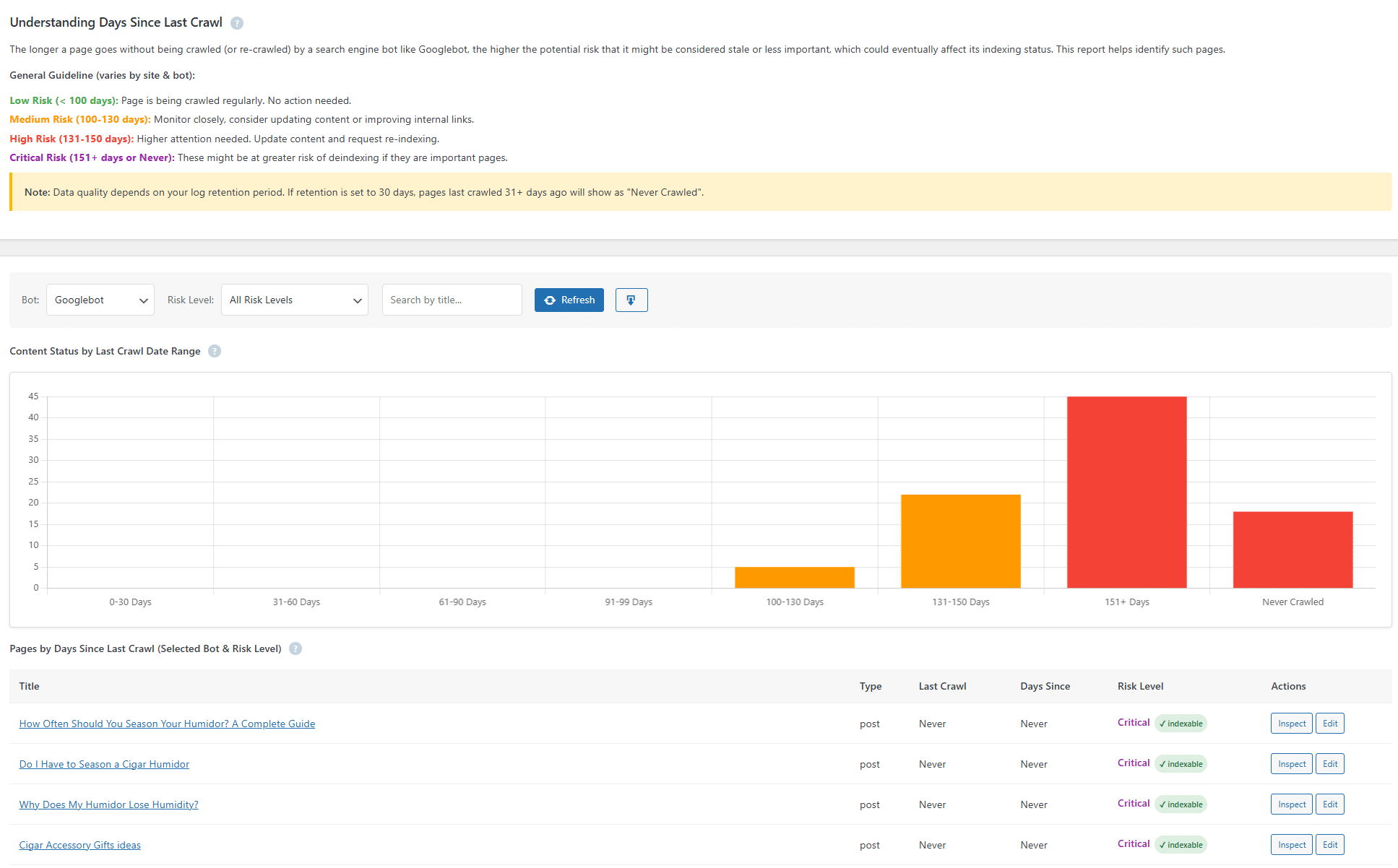
Linkilo is the only tool here that answers it. Its crawl log reads your server logs and records every visit from Googlebot, Bingbot, GPTBot, and ClaudeBot, with reverse-DNS checks separating real bots from anything spoofing them.
The output is a single crawl health score from 0 to 100, built from four weighted parts, so you watch one number rather than read a log. Underneath, wasted crawl budget is sorted into 16 buckets and the robots.txt rules to block them are written for you. AI visits are labelled by intent, so you can tell a bot indexing a page from one pulling it to answer a question.
You build the links. Then you check whether anything followed them.
Common questions
Do I pay for the AI on top of the tool?+
It depends on the model. Link Whisper, LinkBoss, and Rank Math bundle credits, so a heavy month can run you out. Linkilo and WPLink run on your own API key, usually a dollar or two per 500 posts, billed to you directly. WPLink also supports local models, where the AI costs nothing.
What happens to my links if I stop paying?+
That depends entirely on the tool. Linkilo, Link Whisper, LinkBoss, WPLink, and the SEO suites write real links into your posts, so those stay. LinkStorm injects links with a JavaScript snippet and Internal Link Juicer generates them at page render, so in both cases the links stop appearing once the tool is gone.
Is AI matching actually better than keyword matching?+
Yes, for discovery. Keyword tools only link what you tell them to, so pages you forget to map stay unlinked. Embedding-based tools read meaning and surface connections you did not plan, including posts that cover the same idea in different words. Keyword tools win on predictability, which is a real advantage if your link plan is already written.
Will these tools slow my site down?+
It depends where the analysis runs. AIOSEO and the SEO suites scan on your own server, which shows on a large site. LinkBoss and LinkStorm process in their cloud. WPLink runs on your machine. Linkilo runs on your server but through a scheduled background job rather than during page loads.
Can I use two of these together?+
Usually not worth it. The overlap is heavy and you pay twice. The one pairing that makes sense is a bulk builder for a one-time archive push alongside a flat-priced tool for ongoing work, since you can let the bulk credits lapse afterwards.
The short version
If you already pay for Rank Math or Yoast, start there. Most sites never need more.
If you have one big archive to wire up, buy LinkBoss credits, do the work, let them lapse.
If you are not on WordPress, LinkStorm is the only real option on this list.
If you are done with renewals, WPLink at $60 once is hard to argue with.
And if the linking has to stay clean as the site grows, with the anchors watched and the crawlers checked, that is the gap Linkilo was built for. The Linkilo vs Link Whisper page covers the comparison people ask about most.
Narrowed it to two of the others? We put Link Whisper vs LinkStorm, LinkBoss vs Link Whisper, LinkBoss vs LinkStorm, and Link Whisper vs Internal Link Juicer head to head.
Linkilo does this for you
- AI Internal Link Suggestions : Get link suggestions a human editor would approve, and add them in one click without leaving the editor.
- Crawl Log File Analyzer : See exactly which pages Google and the AI crawlers actually visit, inside WordPress, with no log files to download.
- Broken Link Checker & One-Click Repair : Find every dead link on your site and fix it in one click. No spreadsheets, no manual editing.

Jay - Linkilo
Jay's the brains behind cool tools like Linkilo, helping marketers rock their SEO game. He's all about data-driven strategies and using AI to boost results. He's been at this for a decade and loves figuring out what works (and what doesn't) to get more leads without paying a fortune. <a href="https://www.linkedin.com/in/jay-kang-80b103309/">Linkedin</a>