Both of these build internal links on WordPress with AI, and both write real links into your content, so whichever you pick the links stay yours. That much is settled.
What is not settled is what a large build actually costs. Not the price on the page, the two bills that arrive afterwards.
The first is credits you do not get to keep. LinkBoss sells actions rather than access, monthly credits reset with no carryover, and yearly ones expire after twelve months, so capacity you did not spend is simply gone.
The second is review. A bulk run places hundreds of links in one action, and every one of them carries an anchor decision nobody read.
Neither bill shows up in a feature comparison, and both are the reason people end up switching. LinkBoss is built to wire up an archive in bulk. Link Whisper is built to suggest links while you write. Here is how that difference plays out.
LinkBoss vs Link Whisper at a glance
| LinkBoss | Link Whisper | |
|---|---|---|
| Where it runs | Cloud app with a sync plugin | WordPress plugin, plus a Shopify app |
| How you pay | Credits, spent per action | Annual licence by number of sites |
| Entry price | $11 a month or $99 a year | $97 a year |
| Cost as you link more | Rises with volume | Flat |
| Do links persist | Yes, written into your posts | Yes, written into your posts |
| Bulk linking | Up to 1,000 links across 200 pages in one run | Auto-linking rules by keyword |
| Silo building | One-click presets with a visual map | No |
| Site visualizer | Yes | Visual sitemaps |
| Anchor reuse tracking | Yes | No |
| Money-back guarantee | 14 days | 60 days |
How you pay is the real decision
Start here, because it drives everything else.
Two ways of paying for the same job
This decides more than the feature lists do.
LinkBoss sells you actions
Every suggestion, build, and analysis spends credits. Monthly plans reset each month with no carryover. Yearly plans hand you the credits upfront and they expire after a year. When they run out mid-project, you buy more or wait.
Link Whisper sells you access
One annual fee by number of sites, and the core linking features stay on regardless of how much you use them. Link a hundred posts or a thousand, the price does not move.
LinkBoss runs on credits. Launch is $11 a month or $99 a year for 200 credits a month, Scale is $37 a month or $333 a year for 1,000, Agency is $99 a month or $891 a year for 2,500, and Dominator reaches $549 a month or $4,941 a year for 15,000 credits across 50 sites.
Link Whisper charges a flat annual licence. $97 for one site, $197 for three, $297 for ten, and $497 for fifty.
At the entry level they look almost identical, $99 against $97 for a single site. The difference shows up in what you get for it.
With Link Whisper that $97 covers as much linking as you care to do. With LinkBoss the $99 buys a fixed quantity of work, and a heavy month of interlinking can exhaust it.
So the question is not which is cheaper. It is whether your linking is a steady trickle or a big push.
If you publish steadily and add links as you go, a flat licence is easier to live with. If you have one large archive to wire up and then little ongoing work, credits can be the cheaper route, since you buy the burst and stop.
Two smaller details worth weighing. LinkBoss credits expire, monthly ones resetting with no carryover and yearly ones lapsing after a year, so unused capacity is lost rather than banked. And the guarantees differ, 14 days from LinkBoss against 60 from Link Whisper.
Where the work happens
LinkBoss is a cloud platform. You install a sync plugin, connect it with an API key, and your content is analyzed on LinkBoss servers rather than your own.
The finished links come back as clean HTML written into your posts, so they are real links that stay in your content, and your site carries none of the processing.
On weak shared hosting, or a library big enough that a local scan crawls, that offloading is a genuine advantage.
Link Whisper works inside WordPress. Suggestions appear in the editor as you write, and the scanning runs on your own site.
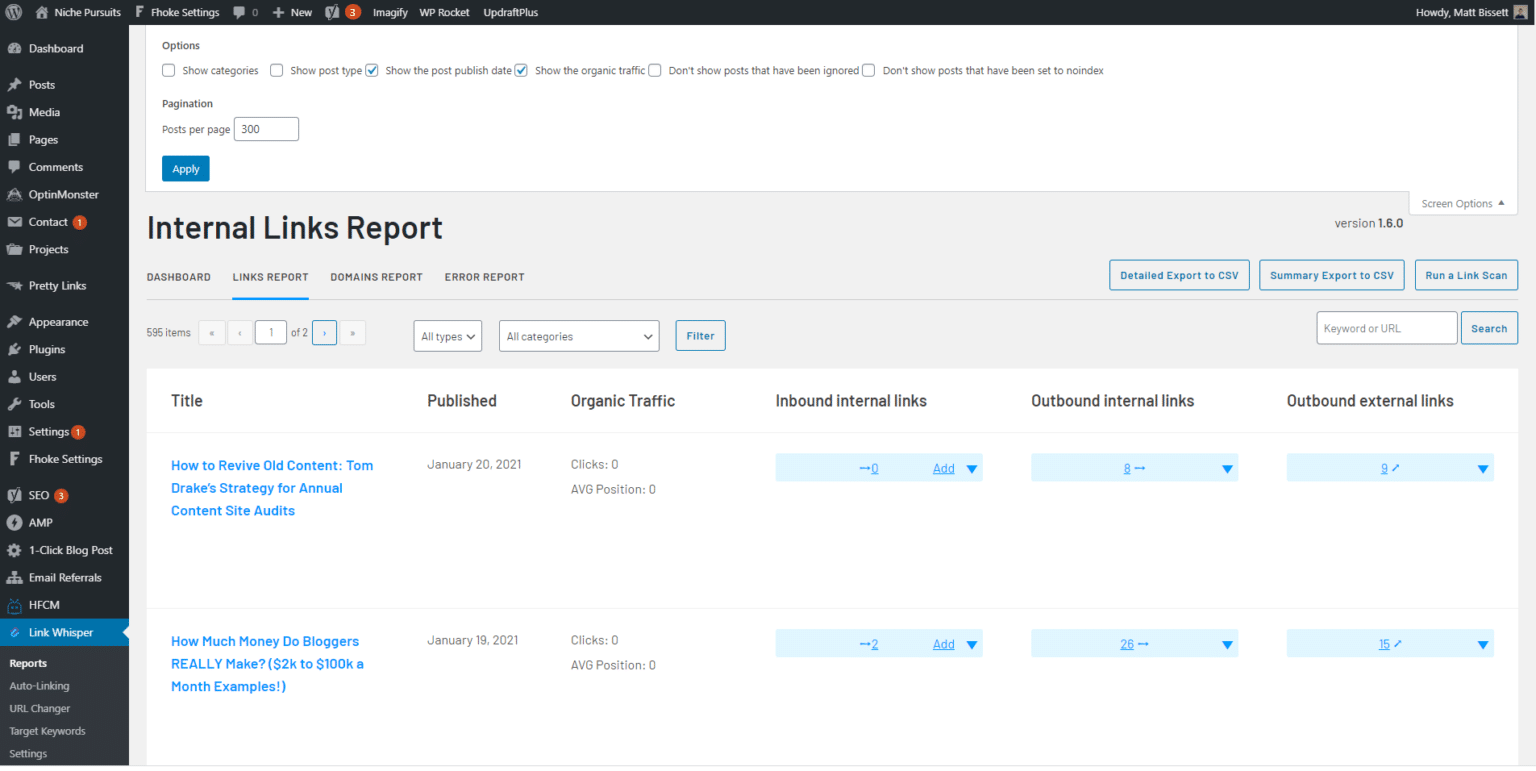
Neither approach is better in the abstract. One keeps your server free, the other keeps the work where you already are.
Bulk building against writing as you go
This is the clearest split between them, and it maps neatly onto what each one is for.
LinkBoss Bulk 2.0 builds up to 1,000 contextual links across 200 pages in a single run. You pull posts in by category, tag, or post type, set a similarity threshold and caps on inbound and outbound links per page, and it inserts them. When a post has no natural place for a link, it will write two or three fresh sentences to create one.
Its silo presets are the other headline. Paste a pillar URL, pick up to 15 supporting posts ranked by relevance, and it wires a Reverse, Serial, Priority, or Circle structure, with a visual map you can rearrange by hand.
Link Whisper has nothing equivalent. It offers auto-linking rules that place links for keywords you define, which is automation of a much narrower kind, and its reporting covers orphan pages, broken links, and visual sitemaps.
For wiring up a dormant archive of a few hundred posts, LinkBoss will finish in an afternoon what Link Whisper would take weeks of editing to match.
What the bulk approach costs you
Speed at that scale has a trade attached, and it is worth naming plainly.
A thousand links inserted in one run is a thousand decisions about where a link belongs and what wording carries it, none of which anyone read.
Anchor text is the visible wording you turn into a link, and search engines read it as a description of the page on the other end. Reuse one phrase for two destinations and you have told them those pages compete. Repeat one phrase everywhere and it stops looking like writing.
LinkBoss does watch anchor reuse, which helps, and Link Whisper has no site-wide anchor report at all, so neither tool is strict here.
LinkBoss does give you a way out. Bulk batches can be rolled back in one click, which deletes the whole run instantly.
That covers the case where a run goes obviously wrong. It does not cover the more likely one, where nine hundred links are fine and a hundred are not. Rollback is all or nothing, so fixing a subset still means going back through the posts by hand.
If your content is a large affiliate or informational library where the linking just needs to exist, that risk is small and the speed is worth it. If the wording carries weight, you will want to review more than a bulk run lets you.
What happens after the links are in
Both tools are built to put links on the page. Neither does much about what happens to those links later, and that is worth knowing before you pick either one.
Links decay. Posts get deleted, slugs get rewritten, and sites you linked to go offline, so a link that worked two years ago quietly becomes a dead end while the page still looks fine.
Link Whisper covers part of this with a broken links report, including bulk actions and inline editing, which is genuinely useful. LinkBoss does not check broken links at all, so if you build 1,000 links with it, nothing in the tool tells you when some of them stop resolving.
Neither has a redirect manager, so redirect chains, where one URL forwards to another that forwards again, go unnoticed in both.
Which should you choose
Which one fits
Choose LinkBoss for a big one-time build
You have a few hundred posts sitting there barely interlinked, or you want proper silo structures around pillar pages, or you manage many client sites from one dashboard. Buy the credits, do the work, and the links stay in your content afterwards.
Choose Link Whisper for steady publishing
You add posts regularly and want links suggested while you write, on a bill that does not move with volume. The 60-day guarantee and the flat licence both suit someone who wants this handled quietly in the background.
The honest summary is that these two barely compete. LinkBoss is a bulk construction tool. Link Whisper is a writing assistant. Most people know which of those they need before they start comparing.
If you want both, the pattern that works is to run a LinkBoss build once to wire up the archive, let the credits lapse, and keep a flat-priced plugin for the ongoing work.
A third option, and a disclosure
We build Linkilo, so read this part with that in mind. The comparison above holds without it.
Linkilo is worth a look only if what you actually want is the ongoing side, because it does not do bulk silo construction the way LinkBoss does. That is the honest limit and it is a real one.
What it adds is everything after the link goes in, which is the gap both tools above leave open.
What each one watches after the link goes in
| LinkBoss | Link Whisper | Linkilo | |
|---|---|---|---|
| Anchor distribution report | Reuse tracking | No | Yes |
| Cannibalization report | No | No | Yes |
| Broken link checker | No | Yes | Yes |
| Redirect manager | No | No | Yes |
| Crawl log for search and AI bots | No | No | Yes |
| Cost for one site | $99/yr | $97/yr | $59/yr |
The anchor report shows how often each phrase is used and where each one points, which is the check that catches one phrase quietly pointing at two competing pages.
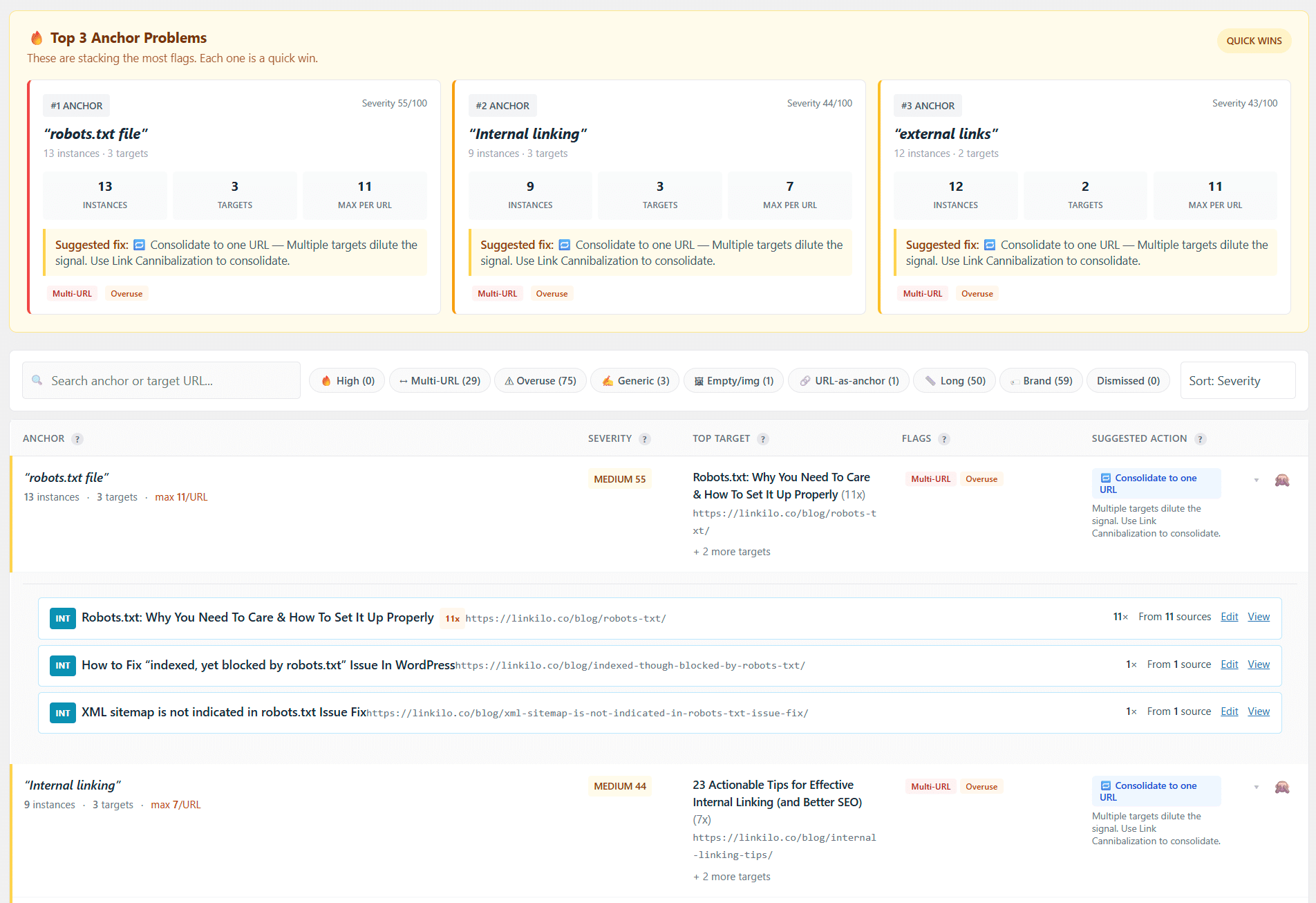
The cannibalization report finds those competing pages directly, using Search Console data to show which one holds the authority. The broken link checker scans on a schedule and fixes each one in a click. The redirect manager flattens chains back to a single hop. And the crawl log reads your server logs to show whether Googlebot, GPTBot, and ClaudeBot are reaching your pages at all.
On the suggestions themselves, Linkilo scores each candidate sentence against the target rather than only comparing pages, checks every proposed anchor against what your site already uses, and runs a second model over the survivors before showing you anything. Each one waits for your approval.
It is $59 a year for a single site with the AI on your own OpenAI key, usually a dollar or two per 500 posts, and a 30-day guarantee. If you want the head to head, the Linkilo vs LinkBoss and Linkilo vs Link Whisper comparisons go feature by feature.
If your job this month is wiring up 400 dormant posts, buy LinkBoss credits and do that. It is the right tool for that job and Linkilo is not.
Common questions
How many credits does a real LinkBoss build use?+
Enough that the entry tier will not carry a large archive. Launch includes 200 credits a month and every suggestion, build, and analysis spends them. A single Bulk 2.0 run can place up to 1,000 links, so wiring up a few hundred posts means either a higher tier or spreading the work across months. Link Whisper has no equivalent limit, since its licence covers unlimited linking.
Do the links stay if I stop paying?+
Yes, with both. LinkBoss writes finished links into your posts as normal HTML and Link Whisper does the same, so links you have already built remain in your content after either subscription ends. You lose the ability to build new ones, not the ones you have.
Can LinkBoss build silos automatically?+
Yes, and this is its strongest feature. You paste a pillar URL, choose supporting posts, and it wires a Reverse, Serial, Priority, or Circle silo with a visual map you can rearrange. Link Whisper has no equivalent.
Does either tool work outside WordPress?+
Partly. Link Whisper has a separate Shopify app alongside its WordPress plugin. LinkBoss fully automates on WordPress and Shopify, and supports other platforms like Webflow or Ghost through a semi-automatic copy-and-paste workflow rather than direct insertion.
What happens when LinkBoss credits run out?+
Building stops until they renew or you buy more. Monthly plans reset each month with no carryover, and yearly plans issue all credits upfront with a one-year expiry. Worth estimating your build size before choosing a tier.
Linkilo does this for you
- Topic Clusters : Group your content into pillars and clusters automatically, then link them the way Google expects.
- Broken Link Checker & One-Click Repair : Find every dead link on your site and fix it in one click. No spreadsheets, no manual editing.
- Crawl Log File Analyzer : See exactly which pages Google and the AI crawlers actually visit, inside WordPress, with no log files to download.