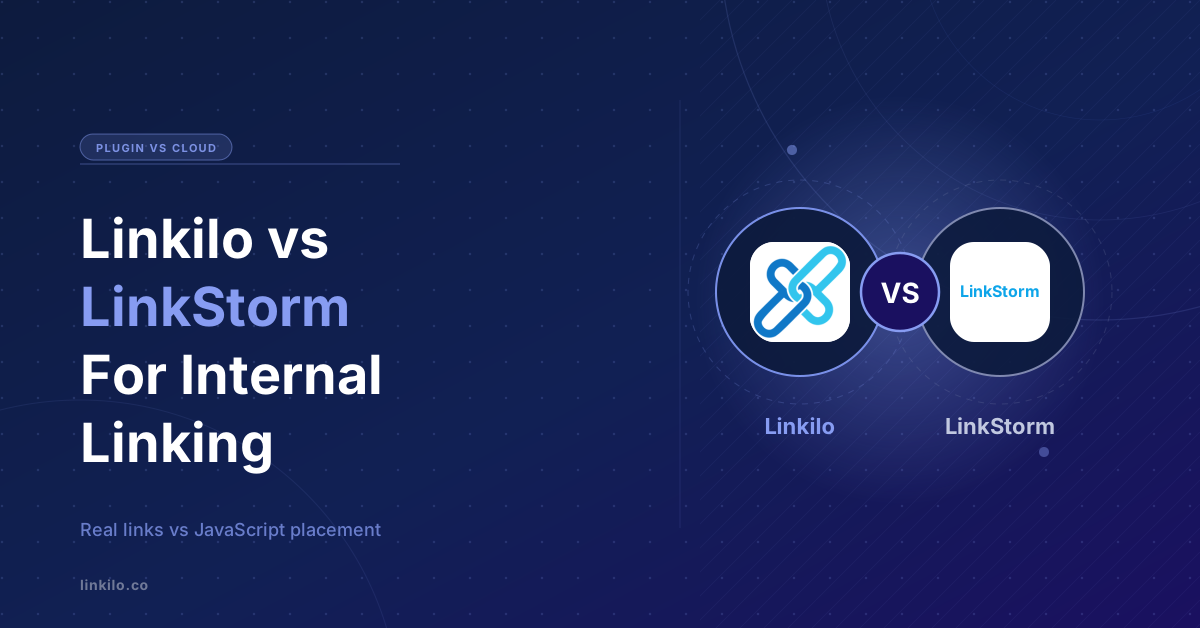
Linkilo and LinkStorm both use AI to build internal links, but they are built on opposite ideas.
Linkilo is a WordPress plugin that lives inside your site and writes real links into your content. LinkStorm is a cloud tool that crawls any site from the outside and places links with JavaScript.
That one split decides almost everything. Your platform, whether your links stay when you leave, and what you pay.
Here is the honest comparison, line by line, and who each one fits.
Linkilo vs LinkStorm
The biggest difference, where your links live
Start with the part that matters most the day you cancel.
Linkilo writes a real anchor tag into your post, saved in your content exactly as if you had typed it. It sits in your HTML the moment the page loads, every crawler sees it, and it stays whether the plugin is active or not.
LinkStorm works differently, and its own help docs spell it out.
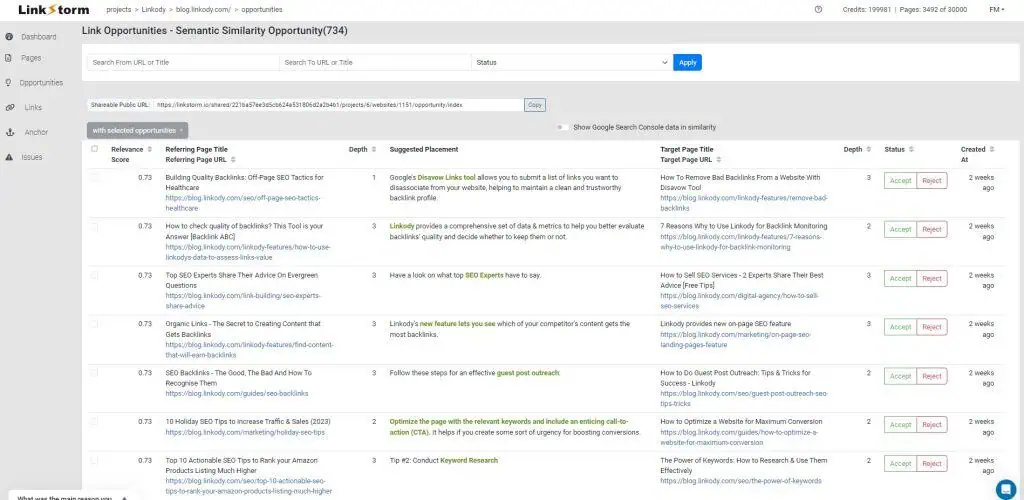
Once it crawls your site, you approve suggestions in the Opportunities Report. The approved links are then placed by a JavaScript file loaded from LinkStorm’s servers, either through a snippet you paste into your head or through its WordPress plugin.
The links appear when the page renders, so they never sit in your raw HTML. LinkStorm even tells you how to check. Open a page’s source and search for the word linkstorm.
Switch on Auto-Accept and it applies new opportunities for you, which is why that mode is pitched at large content sites and private blog networks.
LinkStorm makes a fair point that Google renders JavaScript, so Googlebot does see these links on its rendering pass.
The honest caveats are that rendering is a second, slower pass rather than what Google reads first, that many other crawlers and most AI bots do not run JavaScript at all, and that the links live in LinkStorm’s script rather than in your content.
Remove the snippet or cancel the plan and they all disappear at once.
Neither approach is wrong. But if portability matters, or you want every crawler to see your links in the raw HTML, a tool that writes them into your content is the safer bet.
Where LinkStorm is the better pick
LinkStorm has real strengths, and for some sites it is the right call.
Its reporting is genuinely useful.
The Pages Report lists every page with its click depth, word count, inbound and outbound links, and the count of link opportunities in each direction. You can sort to find pages that should link out, or pages that need links coming in.
The Opportunities Report shows each suggestion with its source, target, anchor, and where in the text the link would sit. Its two proprietary AI methods, semantic clustering and topic modeling, push the matches past exact-phrase keywords.
It recrawls your whole site every 30 days to keep the data current.
- It works on any platform, not just WordPress. Shopify, custom stacks, and JavaScript-heavy sites, it crawls them all.
- Its cloud crawler is fast and never touches your server, and it handles large sites of tens of thousands of URLs quickly.
- It pulls Google Search Console data, clicks, impressions, and position, so you can prioritize links by the pages that already earn traffic.
- One-click auto-linking applies a batch of approved suggestions across the whole site in a single step.
If you are not on WordPress, or you run several sites on different platforms and want one cloud tool for all of them, LinkStorm is built for that.
Where Linkilo goes deeper
On WordPress, Linkilo trades the cross-platform reach for permanence, control, and a wider view of site health.
Linkilo’s AI reads the full text of each post, then compares it against every other post on your site to find where a link genuinely fits rather than matching on a keyword.
Each suggestion comes back with a relevance score and the exact anchor phrase to use, and you approve or skip each one from a panel in the post editor.
The link it writes goes straight into your content.
That analysis runs as a background WP-Cron job on your own OpenAI key, so it never blocks your editor and the cost is yours to see, usually a dollar or two to process a 500-post site.
Both tools start from the same basic idea, finding pages that belong together by meaning. LinkStorm does that with semantic clustering and topic modeling across your crawled pages, which is a real step past exact-phrase matching.
The difference is how much happens after that first match.
The six checks behind one Linkilo suggestion
A page-level match is where this starts, not where it ends.
1Find related pages
Posts are compared by meaning rather than shared keywords, which narrows thousands of pages to a handful of real candidates.
2Score the sentence, not just the page
Each candidate sentence is measured against the target on its own, so the link lands where the text is genuinely about the destination.
3Check the anchor as language
Fragments, hanging phrases, and filler words like best or guide are rejected before they can become a link.
4Catch the wrong version
A sentence about the 3.0 model is not allowed to link to the review of the 2.0, even though the two pages look closely related.
5Compare against your whole site
The proposed anchor is checked against every anchor already in use, so you do not repeat a phrase or point one phrase at two URLs.
6Verify with a second model
A model reads the sentence and the destination and confirms the link makes sense. Failures are dropped with the reason attached.
Most bad internal links are not bad because the two pages were unrelated. They are bad because the link landed in a sentence that was about something else, or used wording that already belongs to another page. Those are the failures the later passes exist to catch.
Why the wording of a link matters as much as its destination
Anchor text is the visible wording you turn into a link. Search engines read those words as a description of the page on the other end, so every link is also a small claim about what that page is for.
Two problems follow, and neither one looks like a mistake when you read the page.
The first is reusing one phrase for different destinations. Point the words best coffee grinder at one review now and a different review later, and you have told search engines that two of your pages compete for the same term. The signal splits instead of stacking.
The second is volume. One exact phrase used forty times across a site stops reading like writing.
Automation makes both worse, because a rule applied without review repeats itself everywhere at once. LinkStorm’s Auto-Accept mode is built for exactly that kind of hands-off application, which is useful on a large content operation and risky on a site where the wording carries weight.
Linkilo takes the other route. Each proposed anchor is checked against what your site already uses, and then it waits for you.
That approval step is deliberate. A model can see that two pages are related. It cannot know you are about to retire one of them, that a client asked you to stop pushing a product, or that the page you are linking to is the weaker of two you wrote on the same subject. You know those things.
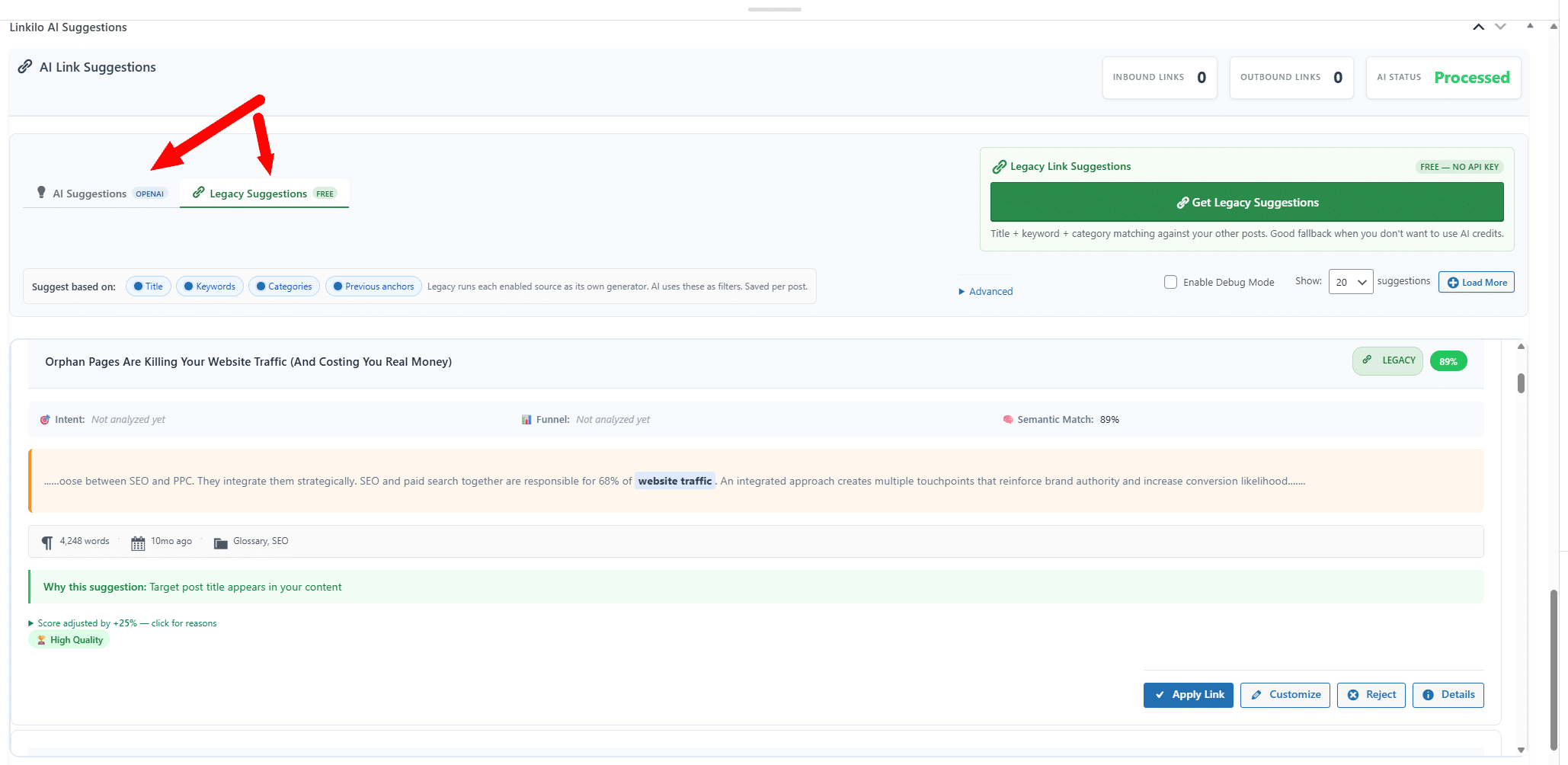
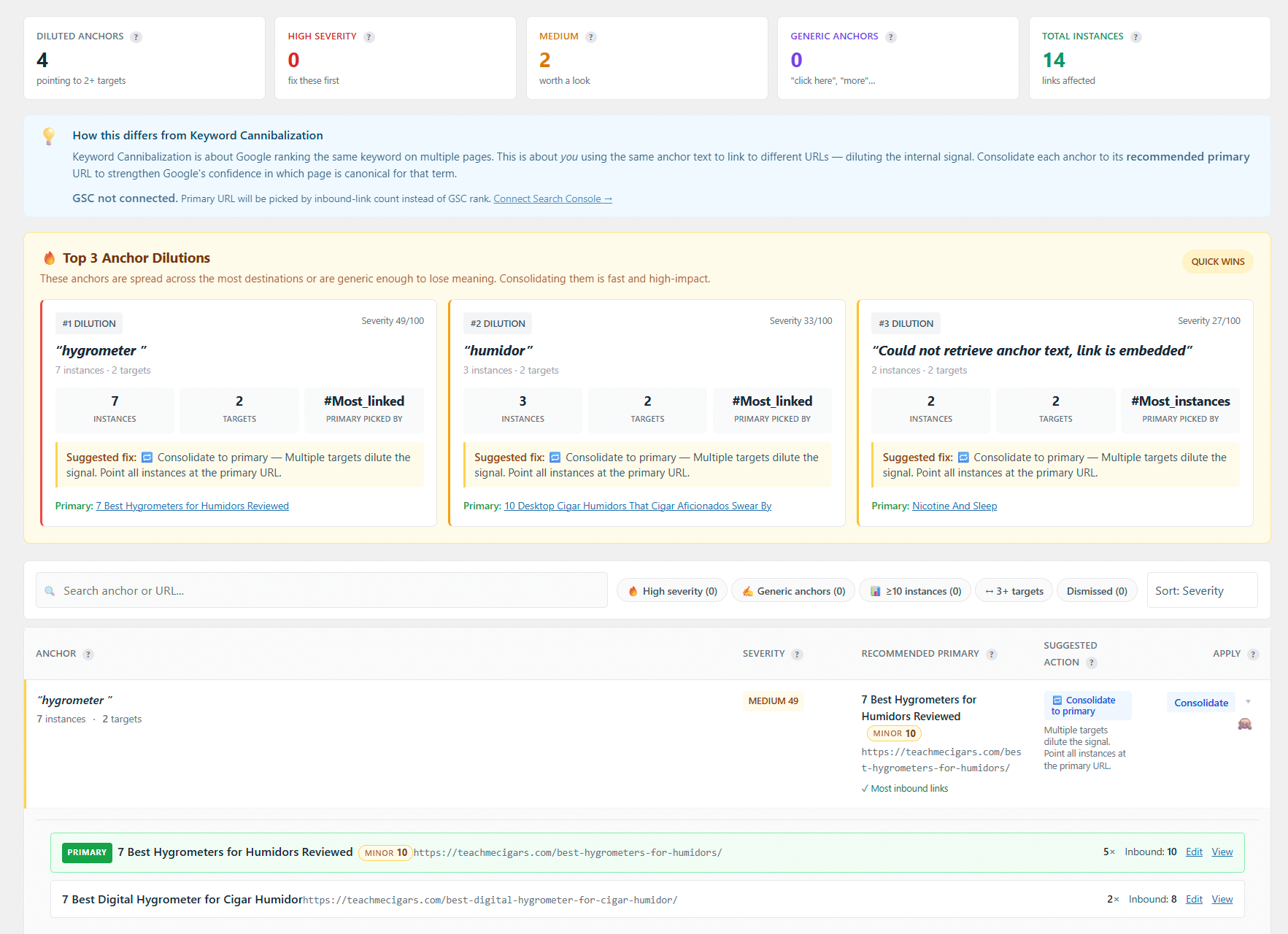
Then the parts LinkStorm does not cover. A dedicated cannibalization report finds pages competing for the same term, the quiet reason a page you expect to rank keeps stalling. The guide on keyword cannibalization walks through the fix.
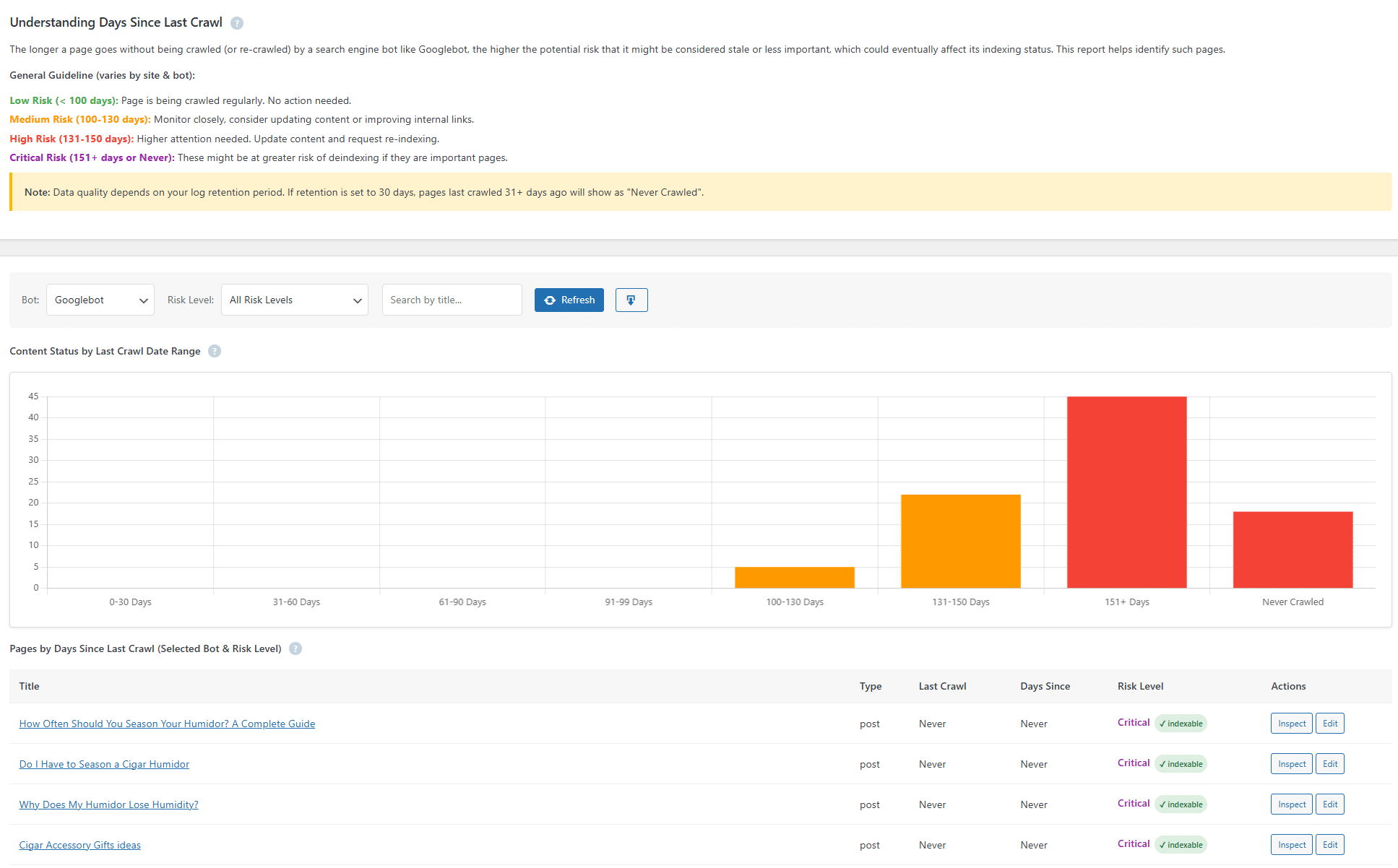
The crawl log is where the gap is widest, because it does something LinkStorm does not attempt.
It records every bot hit at the WordPress level and rolls it into a single 0 to 100 health score.
That score is built from four equal parts. How often Googlebot visits over the past week, how much of your published content it has crawled in the past 30 days, your error rate with server errors weighted twice as heavily as client errors, and your response time at the 95th percentile so one slow request cannot skew it.
It also tells real bots from fakes. Anyone can put Googlebot in a user agent.
So Linkilo verifies each major crawler by a reverse-DNS lookup on its IP and a forward lookup back to the same address, the method Google, Bing, OpenAI, and Anthropic publish. You get a verified-versus-spoofed split with sample impostor IPs.
A crawl-waste view sorts bot activity into 16 categories across three tiers, from server errors to tracking-parameter URLs to duplicate variants. It reads your live robots.txt and hands you a copy-pasteable block that fixes the waste without repeating rules you already have.
For AI bots it goes one step further, labelling each GPTBot or ClaudeBot visit as a live answer, training, or a real person pasting your link.
LinkStorm reads Search Console performance data, clicks, impressions, and position, which is useful for deciding which pages deserve links.
What it does not tell you is which bots actually reach each page, whether AI crawlers see your content, or which crawl hits are genuine.
Linkilo connects to Search Console too, adding a one-click Inspect on any URL for Google’s own indexing verdict and chosen canonical, with a bulk inspect throttled under Google’s 600-requests-a-minute limit.
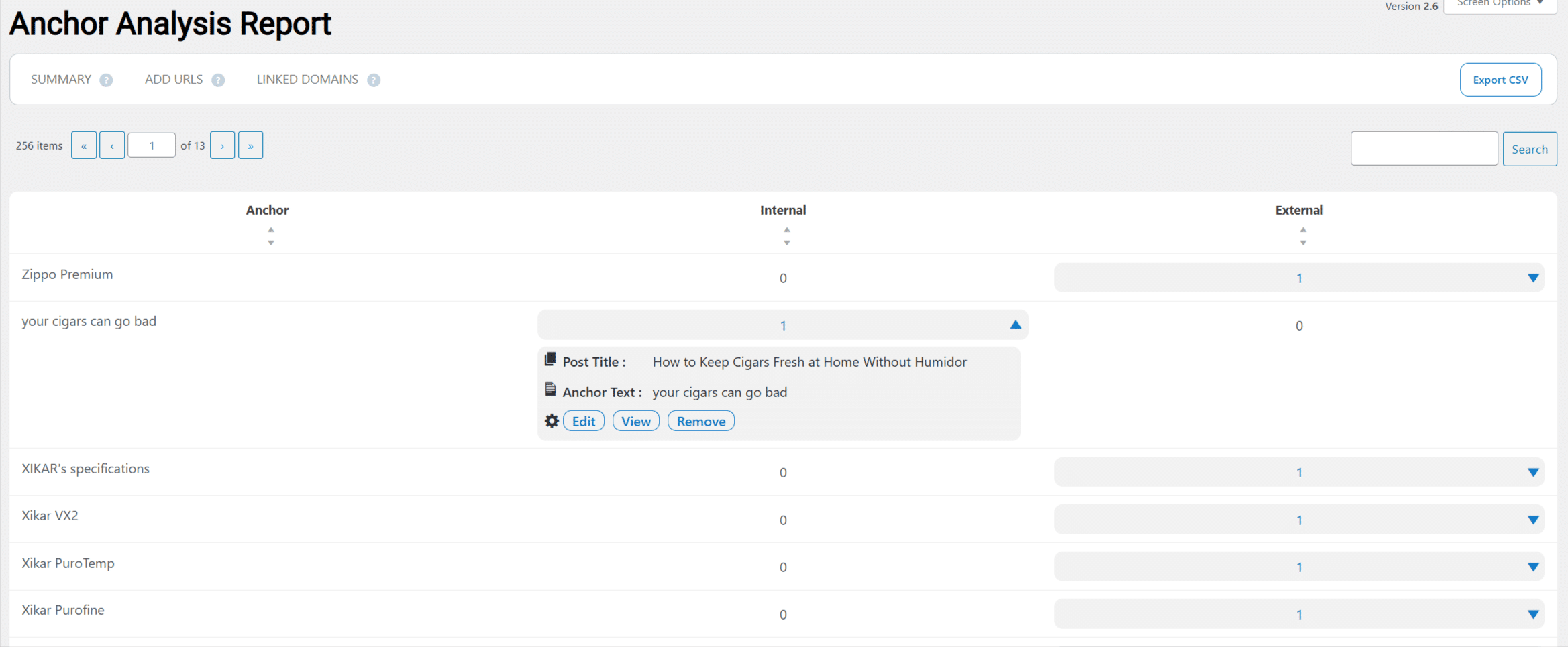
An anchor text report shows how often each phrase is used across the site, so you do not quietly over-optimize one anchor.
The links you already have need looking after
A link is not finished the moment you place it. Links rot over time as posts get deleted, slugs change, and other sites go offline, so a link you added two years ago can quietly turn into a dead end.
Both tools report on this. The difference on WordPress is that Linkilo can act on it in the same screen, because it is inside the site rather than looking at it from the outside.
A broken link points to a URL that no longer resolves, so the reader lands on an error page and the ranking power you passed through that link stops reaching anything. Linkilo’s broken link checker scans on a schedule, lists each one with the page it sits on and the anchor used, and updates or removes it in one click without opening the post.
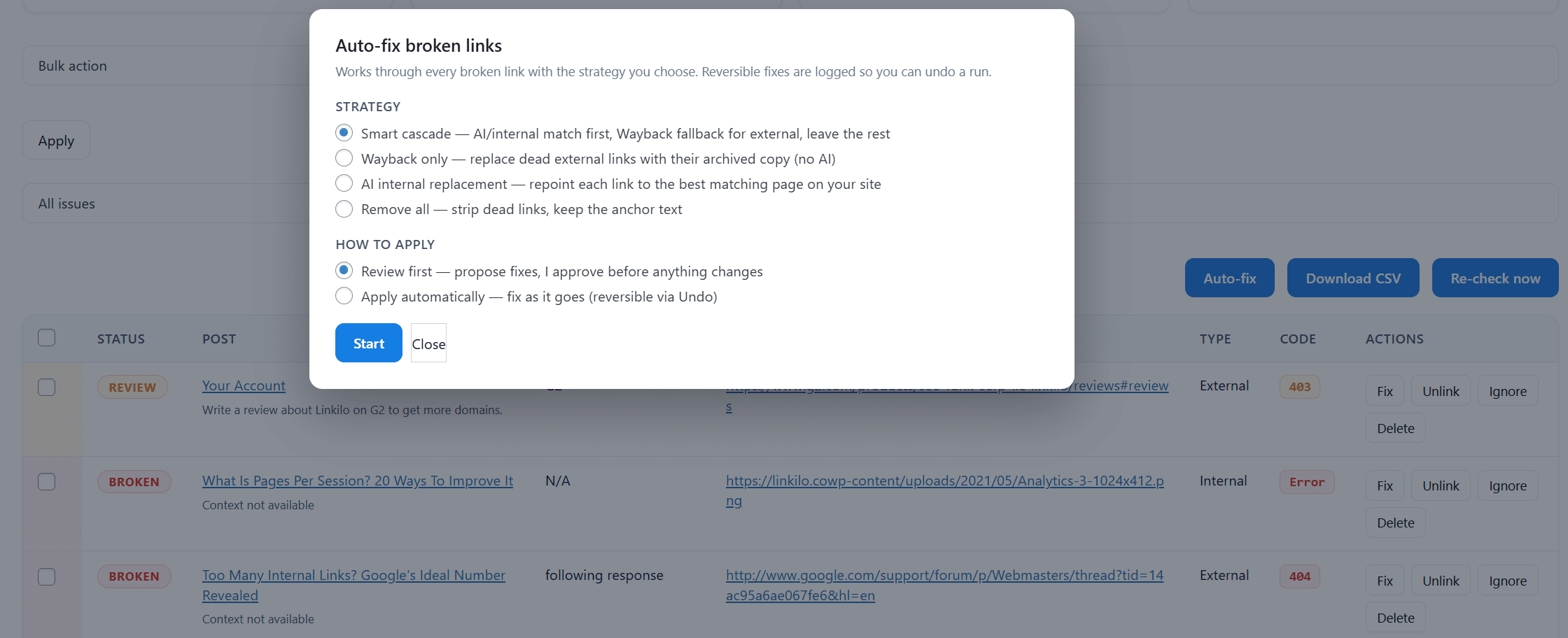
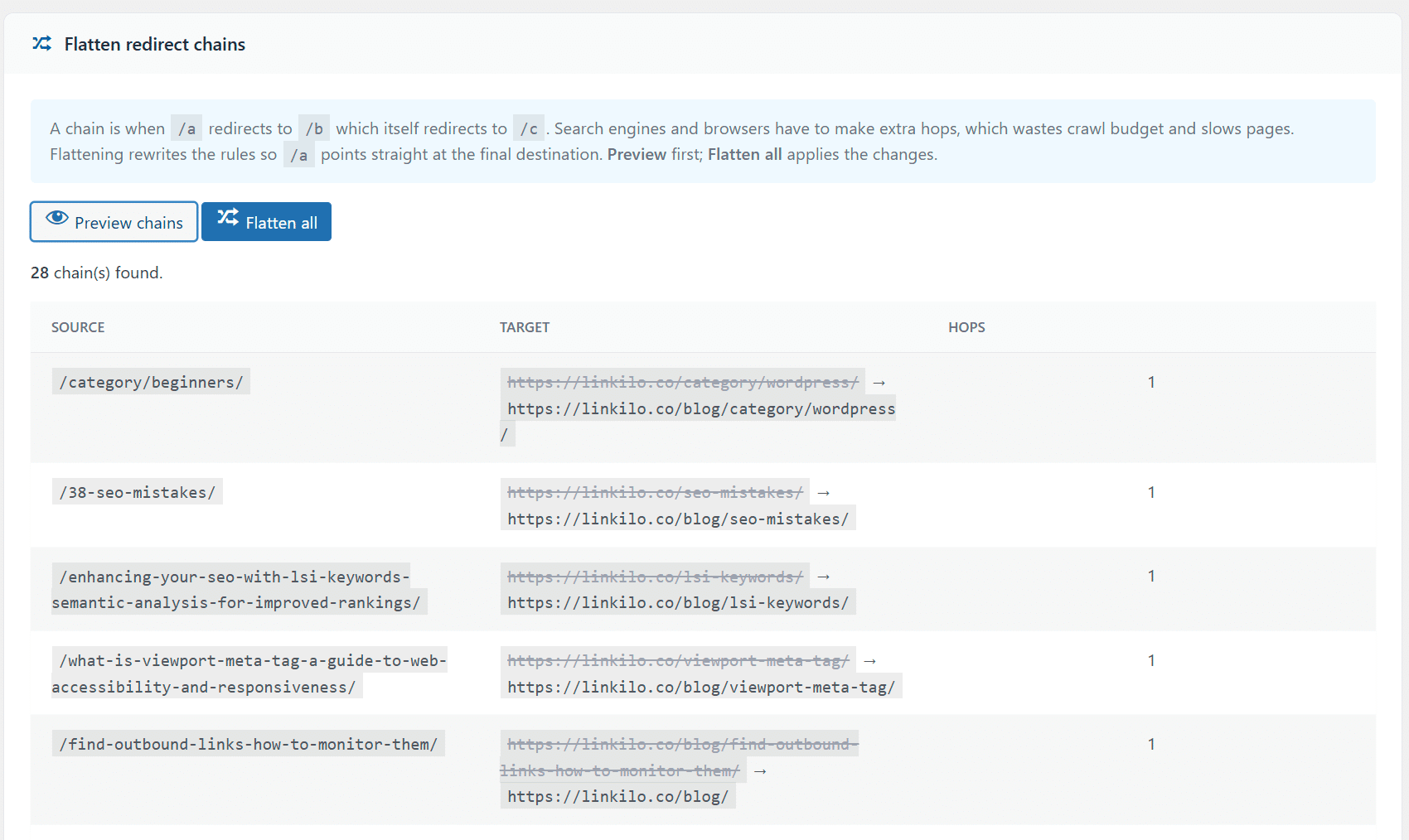
Redirects are the other half. When a URL changes, a 301 sends the old address to the new one so existing links keep working. Do it a few times and you get a chain, where page A points to B and B now points to C, and a single click travels three addresses to reach one page.
Chains are easy to miss because nothing appears broken. The page still loads. Meanwhile every visit is slower and every crawl of that page costs more than it should.
Linkilo finds those chains and flattens each one back to a single hop, and its 404 monitor records the URLs people and bots are actually failing to reach, so you fix the ones with real traffic first.
Link preview covers the last gap. It shows the destination page while you are placing the link, so you can see whether that page is still the right one before you commit to it.
All of it sits in the same plugin as the linking work, which means the internal linking and the cleanup are one job rather than two tools.
If Link Whisper is also on your shortlist, the Link Whisper vs LinkStorm comparison puts those two head to head, including what happens to your links if you cancel either one.
The honest limit is that Linkilo is WordPress only.
If your site runs on Shopify or a custom platform, Linkilo cannot help you, and a cloud crawler like LinkStorm is the right tool.
Linkilo also runs its analysis on your own server through WP-Cron and your OpenAI key, rather than offloading it to the cloud.
The cost
The pricing follows the same split.
Linkilo is $59 a year, flat, plus a dollar or two of your own OpenAI usage. It does not change with your traffic or link volume.
LinkStorm is a monthly subscription from $30 a month, priced by the number of URLs it crawls, though every plan covers unlimited sites.
Over a year that is roughly $59 against $360 or more. LinkStorm’s cost buys the cloud crawler and the cross-platform reach, so the real question is whether you need those, or whether a WordPress plugin at a flat price already covers you.
Which should you use
- You run Shopify, a custom site, or several platforms at once, LinkStorm.
- You want a fast cloud crawler with Google Search Console data driving your link priorities, LinkStorm.
- You are on WordPress and want links written permanently into your content, Linkilo.
- You want cannibalization detection, crawl-log bot tracking, and broken-link and redirect tools in one plugin, Linkilo.
- You want a flat yearly cost instead of a monthly subscription, Linkilo.
Linkilo vs LinkStorm, quick answers
+Do you lose your links if you stop using LinkStorm?
Yes. LinkStorm places links with JavaScript, so they are removed when you unsubscribe. Linkilo writes real links into your content, so those stay after you deactivate it.
+Does LinkStorm work on WordPress?
Yes, it works on any platform, including WordPress, by crawling your site. Linkilo works only on WordPress, but runs inside it rather than crawling from the outside.
+Which one is cheaper?
Linkilo is $59 a year flat plus a little OpenAI usage. LinkStorm starts at $30 a month, so around $360 a year and up, though it covers unlimited sites.
+Does Linkilo crawl my site like LinkStorm?
No. Linkilo works from inside WordPress with direct access to your content, so it does not need to crawl. It does log real bot visits to your pages, which is a different kind of crawl data.
+Can LinkStorm track how Google and AI bots crawl my site?
Not the way Linkilo’s crawl log does. LinkStorm pulls Search Console performance data, while Linkilo records actual visits from Googlebot, Bingbot, GPTBot, and ClaudeBot.
The bottom line
It comes down to platform and permanence.
If you are not on WordPress, or you want one cloud crawler across several platforms with Search Console data built in, LinkStorm is the better fit, as long as you are comfortable with links that live in the tool and a monthly bill.
If you are on WordPress and you want links written permanently into your content, a flat yearly price, and a deeper view of cannibalization and how bots crawl your site, Linkilo is the stronger choice.
For how Linkilo compares with the other main tools, the Linkilo vs Link Whisper comparison covers that side.
Linkilo does this for you
- Crawl Log File Analyzer : See exactly which pages Google and the AI crawlers actually visit, inside WordPress, with no log files to download.
- Internal Link Click Analytics : Find out which internal links people actually click, and stop guessing which ones earn their place.
- AI Internal Link Suggestions : Get link suggestions a human editor would approve, and add them in one click without leaving the editor.

Jay - Linkilo
Jay's the brains behind cool tools like Linkilo, helping marketers rock their SEO game. He's all about data-driven strategies and using AI to boost results. He's been at this for a decade and loves figuring out what works (and what doesn't) to get more leads without paying a fortune. <a href="https://www.linkedin.com/in/jay-kang-80b103309/">Linkedin</a>