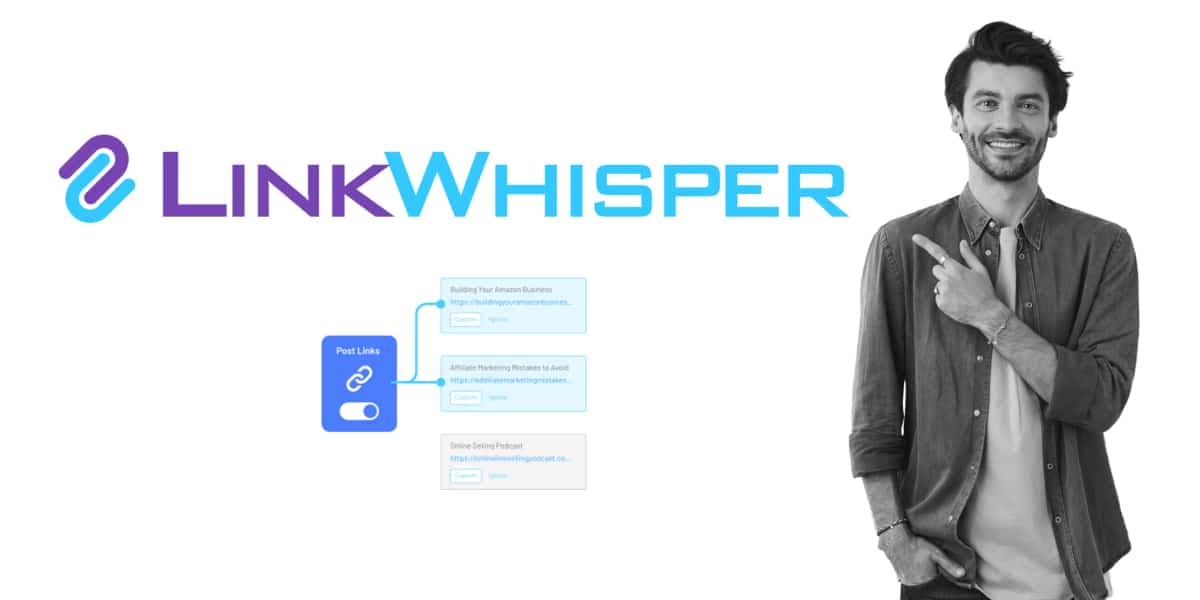
Link Whisper is a solid plugin. It suggests internal links inside the WordPress editor, writes them into your posts as real links, and has done that job since 2019.
So why are you here?
Usually one of four reasons. The AI now runs only on Link Whisper credits. The cheapest plan is $97 a year. Nothing in it warns you when one phrase points at two competing pages. Or you are not on WordPress at all.
The short answer first. On WordPress, Linkilo is the closest replacement, adds the reports Link Whisper skips, and costs $59 a year. Off WordPress, pick LinkStorm. For one big bulk build across an old archive, LinkBoss. With no budget at all, the free version of Internal Link Juicer.
One disclosure up front. We build Linkilo. Every tool below gets the same treatment, including the cases where something else is the better pick.
Link Whisper alternatives at a glance
Watch the third column. It decides what you keep if you ever cancel.
| Tool | Best for | How links are placed | Starts at |
|---|---|---|---|
| Linkilo | WordPress sites that want linking plus site-health reports | Written into your posts | $59/yr |
| LinkBoss | Bulk builds and silos on big archives | Written into your posts | $99/yr in credits |
| LinkStorm | Shopify, Webflow, and custom builds | Injected by JavaScript | $30/mo |
| Internal Link Juicer | Zero budget, keyword rules | Generated when the page loads | Free |
| Rank Math AI Link Genius | Sites already on Rank Math Pro | Added in the editor | Rank Math Pro |
| AIOSEO Link Assistant | Sites already on AIOSEO Pro | Added post by post | AIOSEO Pro |
| Linksy AI | Paragraph-level suggestions | Added to the paragraph | $59/yr |
| WPLink | AI analysis off your server | Written into your posts from a desktop app | $60 once |
| InLinks | Topic and entity planning | Injected by JavaScript | $49/mo |
What Link Whisper does well, and where it stops
Start with the fair part, because it decides whether you should switch at all.
Link Whisper moved to embedding-based matching in version 2.7.0, so it compares what pages mean instead of counting shared keywords. Its 2026 updates added sentence-level checks on top. It writes accepted links into your post content, reports broken links and orphan pages, and has a Shopify app, which most WordPress linking plugins do not.
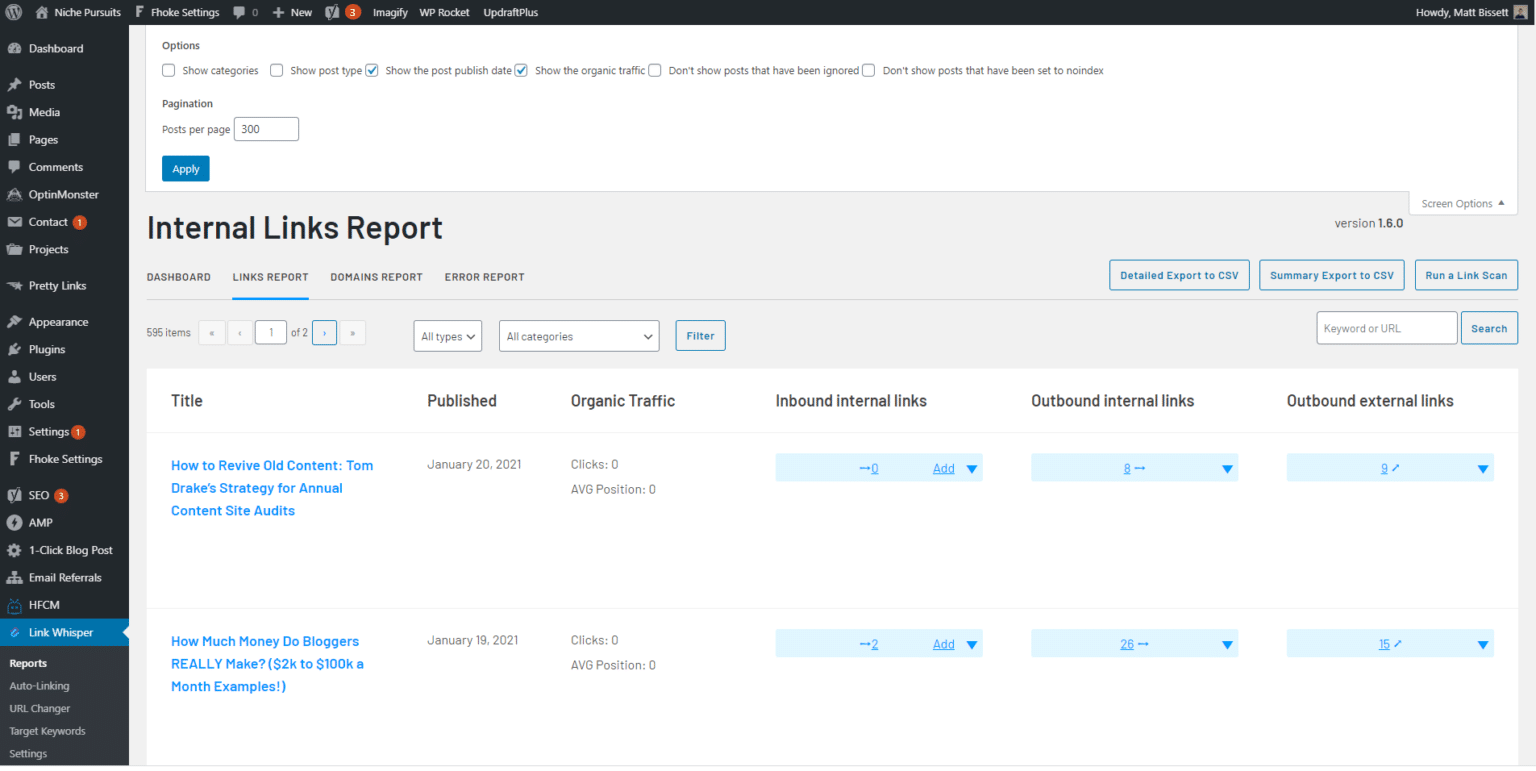
The gaps sit around the suggestions, not in them.
- The AI is credits-only. The June 2026 update retired the direct OpenAI connection, so every suggestion now draws on Link Whisper credits instead of your own API key.
- The entry price. Plans run $97 to $497 a year. The pricing page shows a monthly figure, but every plan is billed for the full year up front.
- No site-wide anchor report. Nothing tracks how often you have used a phrase or where else it points.
- No cannibalization report. It will not tell you when two of your pages compete for the same term.
- No crawl log. You cannot see whether Googlebot, GPTBot, or ClaudeBot ever reached a page.
- No bulk silo builder. Its auto-linking rules work by keyword, one rule at a time.
If none of those touch your site, keep Link Whisper. A switch has a cost. If one or two of them do, the tools below are sorted by which gap each one closes. Our hands-on Link Whisper review covers the plugin itself in more depth.
Check where the links live before you compare features
Most roundups skip this, and it decides what you still own a year from now.
Every tool on this list places links in one of three ways. Two of them stop working the moment you cancel.
Three ways a tool can place a link
Same link on the page. Very different outcome when the tool goes away.
Written into your posts
The link becomes part of the post, the same as if you typed it. It sits in your database, your exports, and your backups.
Cancel and the links stay. Linkilo, Link Whisper, LinkBoss, WPLink.
Generated when the page loads
The plugin holds a keyword rule and builds the link fresh every time the page renders. Your post content never changes.
Deactivate and the links vanish. Internal Link Juicer.
Injected by JavaScript
The link lives on the vendor’s servers and a script adds it to the page in the visitor’s browser.
Remove the snippet or stop paying and the links vanish. LinkStorm, InLinks.
Here is what that means on a real site.
Say you run a 600-post blog and spend a year building 1,800 internal links. Then you switch tools.
- With a tool that writes links into your posts, all 1,800 are still there the day you cancel.
- With a rendered or injected tool, the count drops to zero the moment the plugin or snippet goes, and every orphan page you rescued is an orphan again.
Google does render JavaScript when it indexes pages, so injected links can count while they exist. So indexing is not the problem. The problem is that your site structure becomes a subscription.
The 9 Link Whisper alternatives, reviewed
Each tool below gets who it suits, how it works under the hood, what it costs, and the catch. They are ordered by how well they replace Link Whisper for a typical WordPress site, then by the special cases.
Linkilo, the closest swap if you stay on WordPress
Best for WordPress sites that want link suggestions plus the reports Link Whisper leaves out
Price $59 a year, with a 30-day money-back guarantee
The part you know from Link Whisper is all here. Linkilo suggests a link, shows a confidence score and the exact anchor to use, and waits in the editor until you accept or skip it. Nothing goes live on its own.
What changes is how much filtering happens before a suggestion reaches you.
Link Whisper scores how close two pages are in meaning. Linkilo does that too, then keeps going. It scores the individual sentence against the target page, so the link lands where the text is actually about the destination. It throws out anchors that stop mid-phrase or carry no real noun from the target title. It checks every proposed anchor against the anchors your site already uses, and pushes it down if that phrase already points somewhere else. Then a second model reads the sentence and the target and drops the suggestion if the sentence is not really about that page.
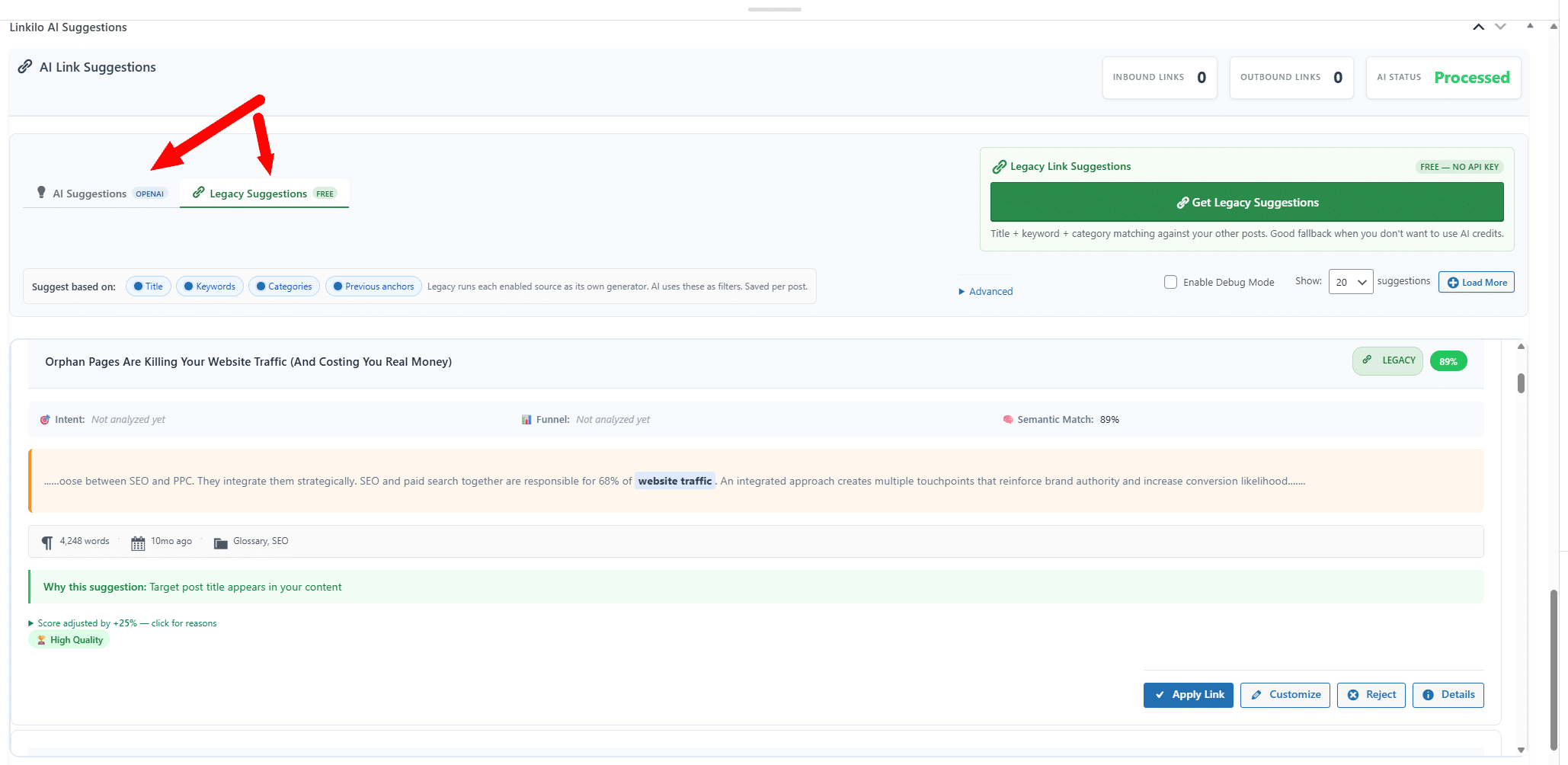
A quick example of why the sentence check matters. Your grinder guide mentions burr sets in one sentence and the Baratza Encore in the next. Against your Encore review, page-level matching rates both sentences the same, so the link can land on the burr sentence. Sentence-level scoring puts it on the Encore sentence, where a reader expects it.
The AI runs on your own OpenAI key through WP-Cron, so there is no credit meter. A full pass on a 500-post site usually costs a dollar or two, and you see the bill yourself.
Then come the reports Link Whisper does not have.
The anchor text report lists every phrase you link with, how often you use it, and where each one points. That is the check that catches a phrase you have leaned on forty times.
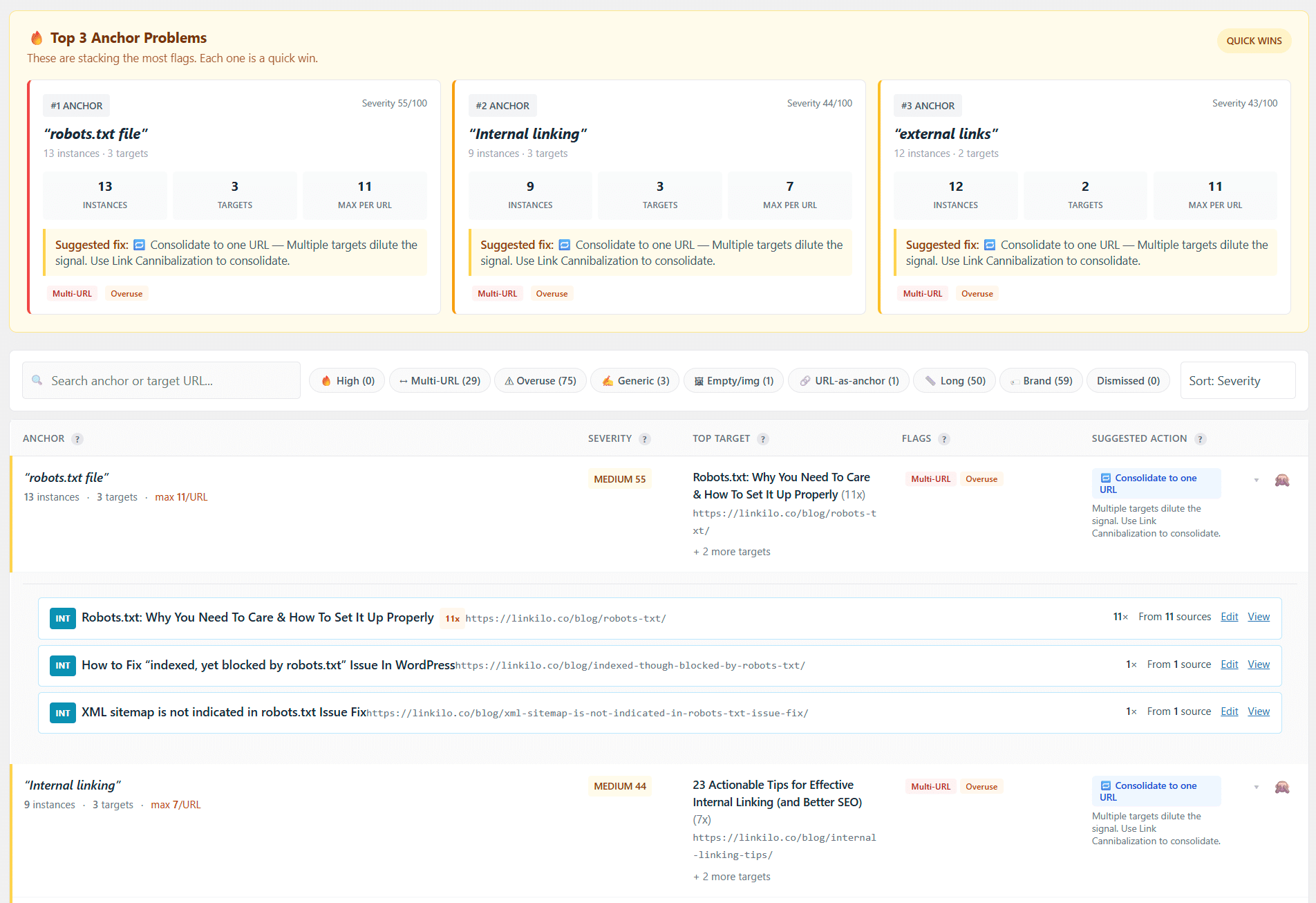
The link cannibalization report lists every anchor that points to more than one URL, ranks them by how much you stand to recover, and lets you consolidate each one to the right page in a click.
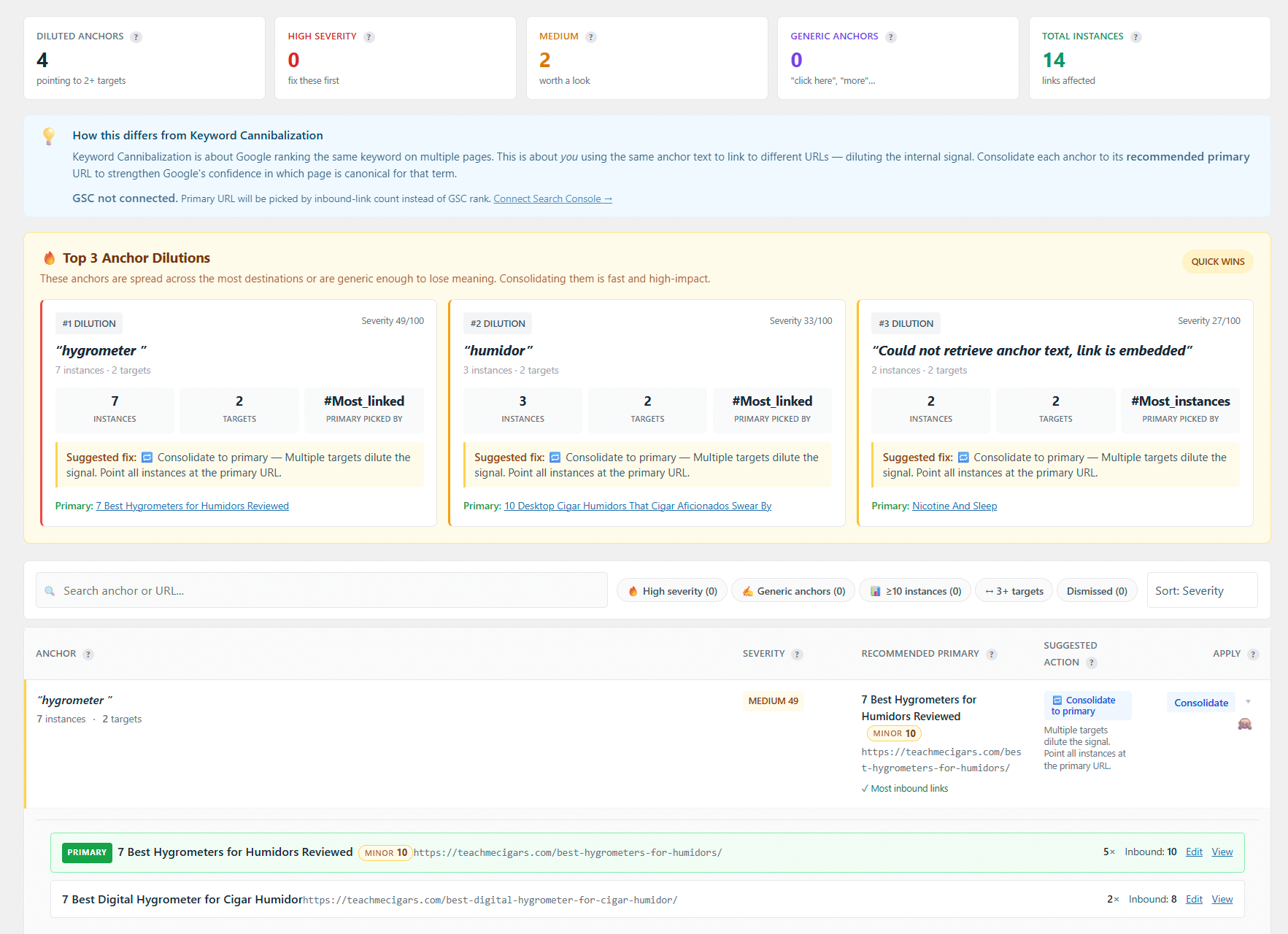
And the crawl log, covered further down, shows whether search and AI bots actually follow the links you build.
The honest limits. Linkilo is WordPress only, it has no free tier, and it does not build silos in bulk the way LinkBoss does. The full Linkilo and Link Whisper comparison goes feature by feature.
LinkBoss, for wiring up a big archive in one pass
Best for Large, barely linked archives and silo structures
Price Credits, from $11 a month or $99 a year for 200 credits a month
LinkBoss runs in the cloud. You install a sync plugin, connect it with an API key, and your content is analyzed on LinkBoss servers. Finished links come back written into your posts as normal HTML, so they stay if you cancel.
Its headline is Bulk 2.0. One run can place up to 1,000 links across 200 pages, pulled in by category, tag, or post type, with caps on links in and out of each page. When a post has no natural spot for a link, it writes two or three new sentences to make one. Silo presets wire a pillar page to up to 15 supporting posts in a Reverse, Serial, Priority, or Circle pattern, with a visual map you can rearrange.
The catches. Credits expire, with monthly ones resetting and yearly ones lapsing after twelve months. Rollback is all or nothing, so if 100 links out of 1,000 are wrong, you fix those 100 by hand. There is no broken link checker. And the guarantee is 14 days, against Link Whisper’s 60.
The pattern that works for most people is one LinkBoss build to wire up the archive, then a flat-priced plugin for everything you publish after. Our LinkBoss vs Link Whisper breakdown runs the credit math.
LinkStorm, when you are not on WordPress
Best for Shopify, Webflow, headless, and custom builds
Price $30 to $200 a month by URL count, with unlimited sites on every plan
LinkStorm is a web app that crawls your site from the outside, so the platform does not matter. It even renders pages built with front-end frameworks that many crawlers miss.
Its suggestion screen gives you more context than most. Each opportunity shows a relevance score, the suggested anchor, the surrounding sentence, click depth, and Search Console clicks, impressions, and position for the pages involved. It also has an anchor distribution report, which Link Whisper does not.
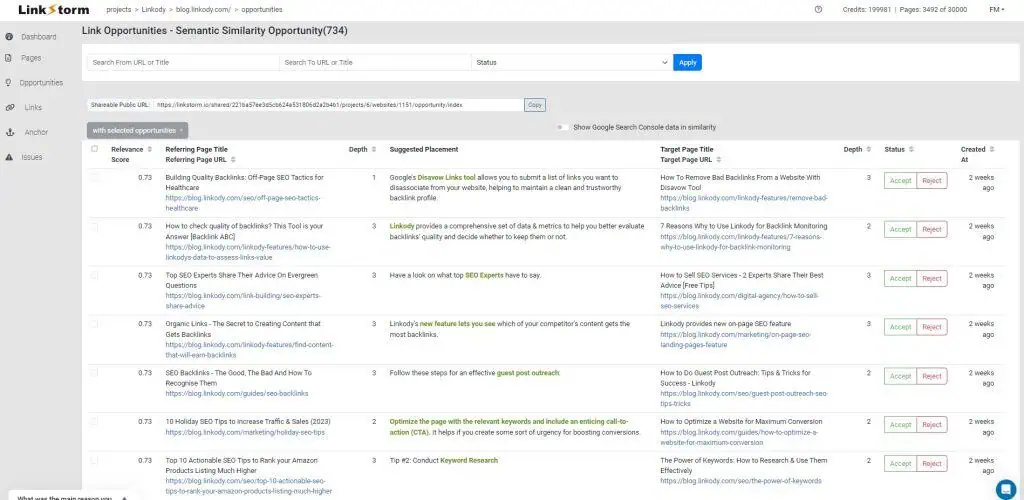
The catch is where the links live. LinkStorm stores them on its side and injects them through a JavaScript snippet or its WordPress plugin. Cancel, and they stop appearing. On WordPress it also costs more, $360 a year at entry against $97 for Link Whisper. The Link Whisper vs LinkStorm matchup prices out a few real setups.
Internal Link Juicer, the free keyword-rule option
Best for Zero budget, or anyone who already has a keyword map
Price Free on WordPress.org, Pro from $69.99 a year or $209.99 once
You assign keywords to target pages. Wherever a keyword appears, the link appears. No suggestions and no review step.
That gives you speed and consistency. It also means a page you never map never gets linked, and nothing prompts you about it.

The bigger catch is persistence. Internal Link Juicer writes nothing into your posts. Its own documentation says the content itself is not manipulated, and the links are generated each time the page renders. Deactivate it and every link goes with it. The Internal Link Juicer comparison runs the five-year cost against Link Whisper.
Rank Math AI Link Genius, if Rank Math is already on your bill
Best for Sites already paying for Rank Math Pro
Price Included with Rank Math Pro, with AI suggestions drawing on Content AI credits
Rank Math added AI Link Genius in early 2026. It suggests links in the editor, finds orphan pages, audits broken links, and handles bulk linking, all inside a plugin you may already pay for. For a lot of sites that makes it the cheapest swap on this list.
The catches. The AI suggestions spend Content AI credits, so you are back on a meter. The Pro license covers your own sites, so client work needs the Business plan. And there is no crawl log or cannibalization report. Our Linkilo vs Rank Math comparison shows where each one pulls ahead.
AIOSEO Link Assistant, for existing AIOSEO users
Best for Sites already running AIOSEO Pro
Price Part of AIOSEO Pro and higher tiers
Link Assistant lives inside AIOSEO. It reports the links on each post, suggests new ones, and lets you add them post by post without leaving the SEO plugin you already use.

The catch is that you buy a whole SEO suite for one feature. It also works best with English content and the block editor, with page builder support still catching up.
Linksy AI, for paragraph-level suggestions
Best for Writers who want the tool to make room for a link
Price $59 a year
Linksy reads each paragraph rather than the whole page, and it can rewrite a paragraph to open a natural spot for a link. Relevance scoring is built in, and there is no API key to set up.

The catch is the interface. Every suggestion lives in the post sidebar, which gets cramped on a long article.
WPLink, for running the AI on your own computer
Best for Owners who want the heavy analysis off their server
Price $60 once for solo use, $199 once for agencies
WPLink is a desktop app with a companion WordPress plugin. The analysis runs on your machine, then the plugin writes the links you approve into your posts through the WordPress REST API. You pick the AI engine, and a local model can bring the AI cost to nothing.
The catch is the workflow. You review suggestions in a separate app, not in the editor while you write.
InLinks, for linking by topic and entity
Best for Teams that plan content around topics
Price From $49 a month
InLinks maps the entities on each page, so it knows the Apple in a phone review is the company and not the fruit. Links follow topic relationships rather than shared words.

The catch is placement. InLinks adds its links with JavaScript, so they disappear when you stop paying. At this price it is a content planning platform that also links, not a Link Whisper replacement for a single blog.
Check whether crawlers follow the links you build
Every tool above gets judged on how well it places links. Links only do their job if search and AI crawlers follow them.
A page Googlebot never reaches cannot rank. A page GPTBot and ClaudeBot skip will not get cited in AI answers. The number of links pointing at it does not change either one.
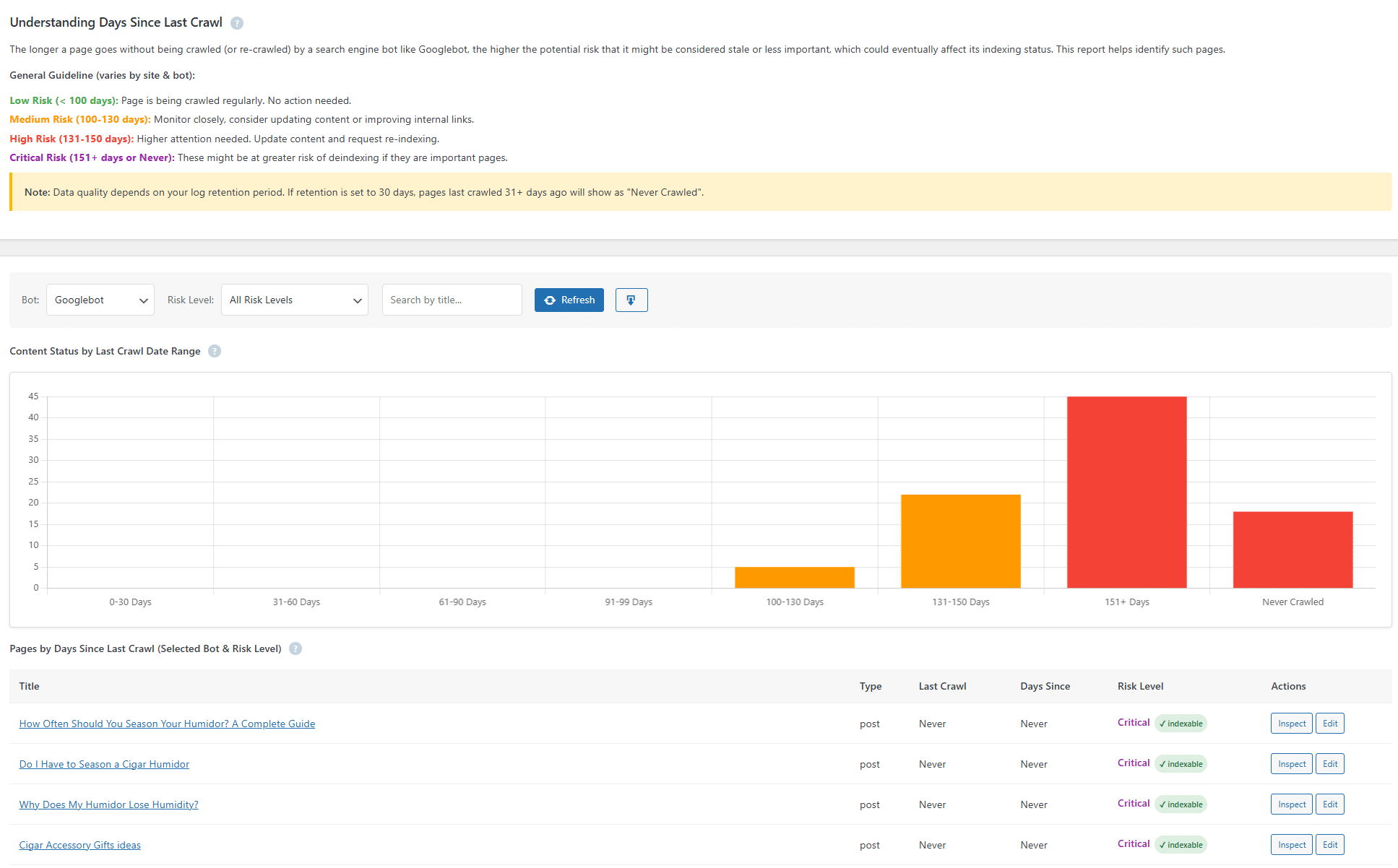
Linkilo’s crawl log reads your server logs and records each visit from Googlebot, Bingbot, GPTBot, ClaudeBot, and the rest. It checks every bot with a reverse-DNS lookup, so a scraper pretending to be Googlebot gets flagged instead of counted. Crawl health rolls up into one 0 to 100 score, wasted crawls get sorted into 16 buckets with a ready-made robots.txt block to fix them, and AI visits are labeled by intent.
Here is how that plays out. You link ten older posts to a new buyer’s guide. A week later the crawl log shows Googlebot has reached the guide twice, and GPTBot has not touched it. Now you know the links are doing their job for search, and that the AI side needs something else, such as a link from a page AI bots already visit often.
None of the other eight tools on this list show you that.
How to move off Link Whisper without losing anything
Your existing links are safe. Link Whisper writes them into your posts, so they stay when you deactivate it. The real work is making sure the new tool starts from a clean picture.
- Crawl your site with Screaming Frog or a similar crawler and save the internal link export. That is your before snapshot.
- Install the new tool and let it finish its first full scan before you add a single link.
- Open the anchor report and fix any phrase that points at two different pages. That is cannibalization you inherited, and new links on top only make it worse.
- Add new links to your ten most important pages first.
- After a few weeks, compare Search Console impressions and clicks on the pages you linked to, not your sitewide totals.
- Deactivate Link Whisper once you are happy. The links it placed stay where they are.
Step three is the one people skip, so here is what it looks like.
Say the anchor best espresso machine points to your 2024 roundup in 14 posts and to your newer buying guide in 6. Search engines read that as two pages competing for one term. Decide which page you want ranking, repoint the other set of links to it, and only then start adding fresh links. If your new tool has no anchor report, filter the Screaming Frog export from step one by anchor text and you will see the same thing.
Which Link Whisper alternative fits your site
Most of these tools overlap on the basic linking job. Your platform, your budget model, and what you need after the link goes in decide the rest.
Find your situation, then your pick
| Your situation | Pick | Why |
|---|---|---|
| On WordPress, want the closest swap with better reports | Linkilo | Same suggest-and-approve flow, plus anchor, cannibalization, and crawl reports, AI on your own key |
| 300 or more barely linked posts to wire up at once | LinkBoss | Bulk 2.0 and silo presets, then let the credits lapse |
| On Shopify, Webflow, or a custom stack | LinkStorm | Works on any platform, with Search Console data on each suggestion |
| No budget at all | Internal Link Juicer | Free keyword rules, as long as the plugin stays installed |
| Already pay for Rank Math Pro | AI Link Genius | Nothing new to buy, though the AI uses credits |
| Already pay for AIOSEO Pro | Link Assistant | Already in the plugin you run |
| Team planning content around topics | InLinks | Entity mapping, priced for teams |
The short answer
If Link Whisper works for you and the price is fine, keep it. A switch costs a few hours, and no linking tool rescues a site on its own.
If you are leaving over credits, price, or missing reports, and you are on WordPress, Linkilo does the same suggest-and-approve work with the AI on your own key. It adds the anchor, cannibalization, and crawl reports Link Whisper lacks, and it costs $59 a year. The trade is that it only runs on WordPress. You can see the two side by side on the Linkilo vs Link Whisper page.
Off WordPress, go with LinkStorm. For one big bulk build, LinkBoss. With no budget, Internal Link Juicer.
Whichever you pick, run it on five posts first and read every suggestion before you trust it with the rest of your site.
Head to head comparisons
If you have narrowed it to two tools, these go deeper on each pairing.
A WordPress plugin against a cross-platform web app, and what happens to your links if you cancel either one.
Bulk building on credits against a flat annual licence for steady publishing.
Link Whisper vs Internal Link Juicer
AI suggestions against keyword rules, plus the free and one-time-payment option.
Two cloud platforms, one built to build and one built to measure.
Link Whisper alternatives, quick answers
+What is the best Link Whisper alternative?
On WordPress, Linkilo is the closest replacement. It keeps the suggest-and-approve workflow, runs the AI on your own key, and adds anchor, cannibalization, and crawl reports for $59 a year. Off WordPress, LinkStorm is the strongest option.
+Is there a free Link Whisper alternative?
Yes. Internal Link Juicer has a free version on WordPress.org that links posts and pages from keyword rules you set. It does not suggest links on its own, and its links disappear if you deactivate it.
+Which Link Whisper alternatives keep my links if I cancel?
The ones that write links into your post content. Linkilo, LinkBoss, and WPLink all do. Internal Link Juicer generates links when the page loads, and LinkStorm and InLinks inject them with JavaScript, so those links stop appearing when the tool goes.
+What should I use instead of Link Whisper if I am not on WordPress?
LinkStorm. It crawls any site from the outside, so Shopify, Webflow, headless, and custom builds all work, and every plan includes unlimited sites. Plans start at $30 a month by URL count.
+Which alternatives let me use my own AI API key?
Linkilo runs on your own OpenAI key, usually a dollar or two per 500 posts. WPLink lets you pick your own engine, including a local model. Link Whisper, LinkBoss, LinkStorm, and Rank Math’s AI Link Genius all run on credits instead.
+Will switching from Link Whisper hurt my rankings?
Not by itself. The links Link Whisper placed stay in your posts after you deactivate it, so nothing changes on the day you switch. The risk is adding new links on top of anchor conflicts you already have, so fix those first.
Linkilo does this for you
- Crawl Log File Analyzer : See exactly which pages Google and the AI crawlers actually visit, inside WordPress, with no log files to download.
- AI Internal Link Suggestions : Get link suggestions a human editor would approve, and add them in one click without leaving the editor.
- Topic Clusters : Group your content into pillars and clusters automatically, then link them the way Google expects.

Jay - Linkilo
Jay's the brains behind cool tools like Linkilo, helping marketers rock their SEO game. He's all about data-driven strategies and using AI to boost results. He's been at this for a decade and loves figuring out what works (and what doesn't) to get more leads without paying a fortune. <a href="https://www.linkedin.com/in/jay-kang-80b103309/">Linkedin</a>